Table of Content
- Introduction
- What Is Zero-Trust Security in Dynamics CRM?
- Why Zero-Trust Matters in Dynamics CRM 2026
- Core Principles of Zero-Trust for Dynamics CRM
- Zero-Trust Architecture for Dynamics CRM (Recommended Framework)
- Step-by-Step Implementation Plan
- Common Zero-Trust Mistakes to Avoid
- Benefits of Zero-Trust Security in Dynamics CRM 2026
- How SkySoft Connections Helps Secure Dynamics CRM
- Final Thoughts
- FAQ’s
Introduction
As cyber threats continue to evolve, traditional perimeter-based security models are no longer enough. Therefore, businesses using Microsoft Dynamics 365 must adopt a zero-trust security model to protect sensitive customer data, financial records, and operational workflows.
In 2026, Zero-Trust Security in Dynamics CRM is no longer optional — it is essential. This guide explains best practices, implementation strategies, and practical security controls to help organizations strengthen their CRM environment.
What Is Zero-Trust Security in Dynamics CRM?
Zero-trust security is a cybersecurity model based on one principle:
Never trust, always verify.
In other words, every user, device, and system must be authenticated, authorized, and continuously validated before accessing CRM resources.
Unlike traditional security models, zero-trust assumes that breaches can occur internally and externally. As a result, security policies are enforced at every access point.
Why Zero-Trust Matters in Dynamics CRM 2026
Modern CRM systems integrate with:
- ERP systems
- Marketing automation platforms
- Payment gateways
- Custom APIs
- Mobile applications
Because of these integrations, attack surfaces increase significantly. Consequently, businesses must protect:
- Customer personally identifiable information (PII)
- Sales pipelines
- Financial data
- Workflow automations
- Custom plugins and integrations
Without zero-trust controls, even one compromised credential can expose the entire system.
Core Principles of Zero-Trust for Dynamics CRM
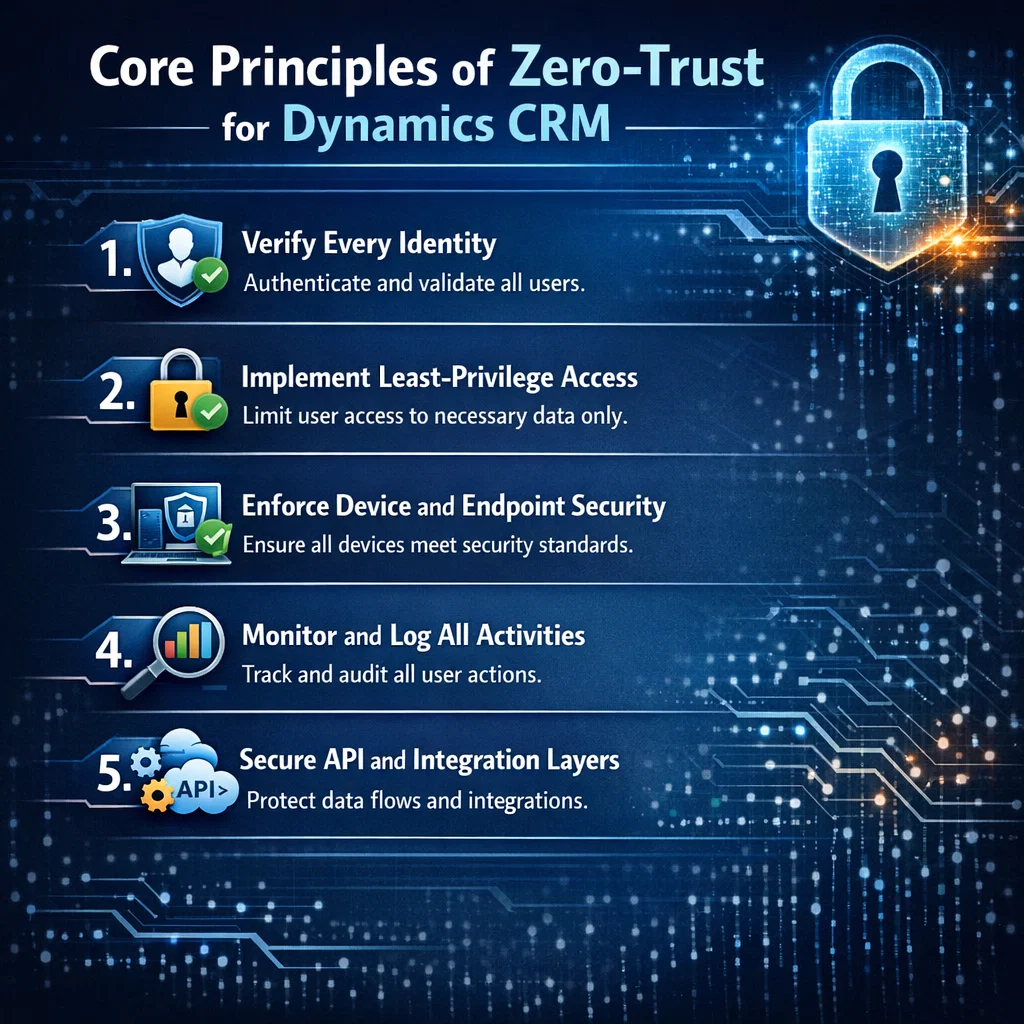
1. Verify Every Identity
First and foremost, enforce strong authentication mechanisms:
- Multi-Factor Authentication (MFA)
- Conditional access policies
- Passwordless authentication
- Identity federation
Additionally, integrate CRM access with identity providers like Microsoft Entra ID to ensure centralized identity management.
2. Implement Least-Privilege Access
Users should only access what they absolutely need.
For example:
| Role | Recommended Access Level | Risk Level |
|---|---|---|
| Sales Rep | Own accounts & leads | Low |
| Sales Manager | Team-level visibility | Medium |
| System Admin | Full environment access | High |
Therefore, implement:
- Role-based security models
- Field-level security
- Business unit isolation
- Segmented environments (Dev, Test, Prod)
3. Enforce Device and Endpoint Security
Even if credentials are secure, compromised devices can bypass protection. Hence, enforce:
- Device compliance checks
- Endpoint encryption
- Managed device policies
- Remote session restrictions
This is particularly critical for remote teams and field sales staff.
4. Monitor and Log All Activities
Zero-trust is not static. Instead, it requires continuous monitoring.
Use:
- Audit logs
- User behavior analytics
- Access anomaly detection
- Real-time alerting
For example, if a user logs in from two countries within minutes, the system should automatically trigger a risk response.
5. Secure API and Integration Layers
Most CRM vulnerabilities arise from integrations. Therefore:
- Use OAuth 2.0 authentication
- Rotate API secrets regularly
- Restrict IP access
- Apply throttling and rate limits
Moreover, validate data payloads before processing them.
Zero-Trust Architecture for Dynamics CRM (Recommended Framework)
A structured implementation looks like this:
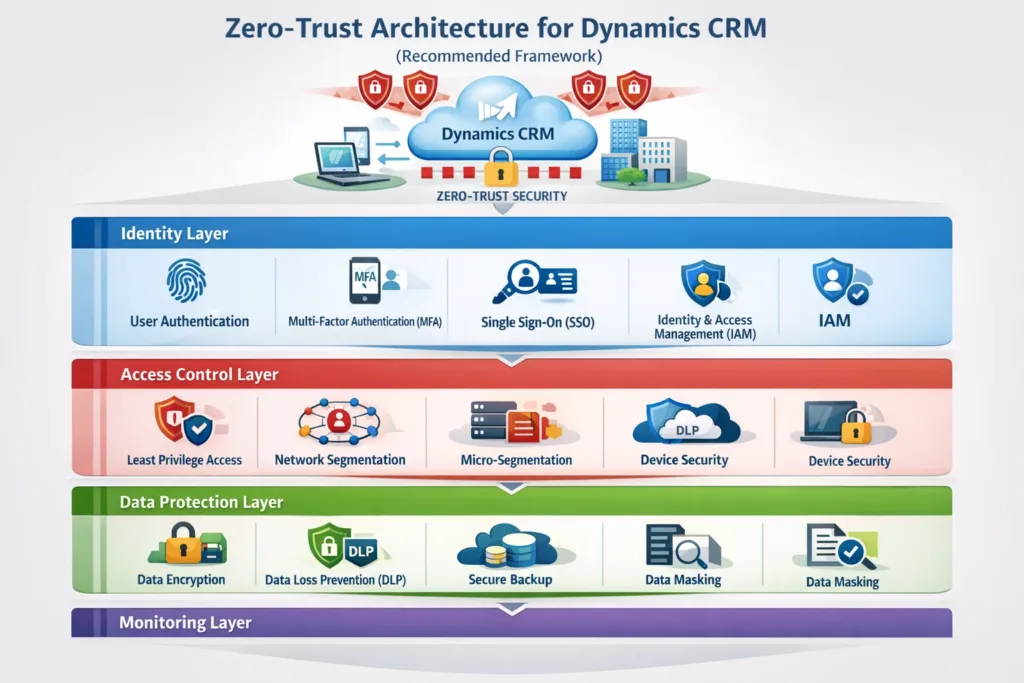
Identity Layer
- MFA
- Conditional Access
- Risk-based authentication
Access Control Layer
- Role-based permissions
- Field-level security
- Business unit segmentation
Data Protection Layer
- Encryption at rest and in transit
- Data loss prevention (DLP)
- Secure backups
Monitoring Layer
- Real-time analytics
- SIEM integration
- Incident response workflows
Step-by-Step Implementation Plan
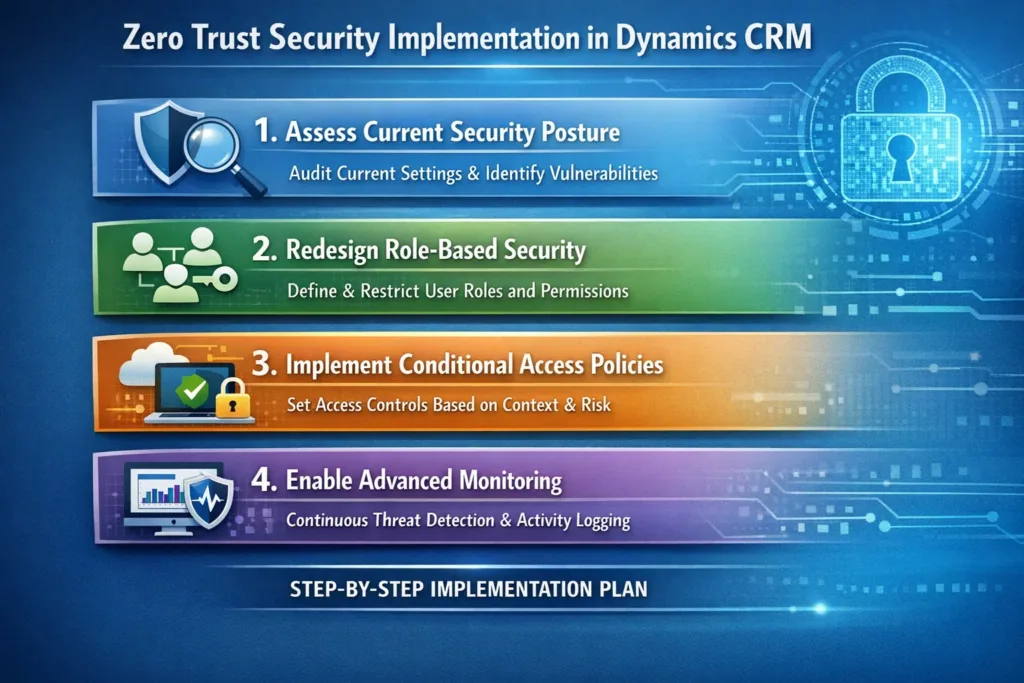
Step 1: Assess Current Security Posture
Start by auditing:
- User roles
- Admin accounts
- API integrations
- Plugin access
- Third-party apps
Then, identify privilege escalation risks.
Step 2: Redesign Role-Based Security
Next, restructure security roles based on:
- Departmental needs
- Data sensitivity
- Geographic boundaries
- Regulatory compliance
Avoid generic roles like “Super User.”
Step 3: Implement Conditional Access Policies
For example:
- Block login from unknown countries
- Require MFA for admin actions
- Restrict high-risk IP addresses
As a result, access becomes context-aware.
Step 4: Enable Advanced Monitoring
Integrate CRM logs with security monitoring tools to:
- Detect abnormal access patterns
- Track failed login attempts
- Monitor mass data exports
Consequently, potential breaches are detected early.
Common Zero-Trust Mistakes to Avoid
Even though zero-trust is powerful, improper implementation can create new risks.
Avoid:
- Over-permissioning system administrators
- Ignoring third-party app access
- Skipping periodic role reviews
- Disabling audit logs for performance
- Using shared accounts
Instead, schedule quarterly security reviews.
Benefits of Zero-Trust Security in Dynamics CRM 2026
When implemented correctly, organizations experience:
- Reduced insider threats
- Stronger compliance posture
- Improved audit readiness
- Lower breach impact
- Greater customer trust
Furthermore, zero-trust improves long-term scalability and resilience.
How SkySoft Connections Helps Secure Dynamics CRM
Implementing zero-trust in Microsoft Dynamics 365 requires both technical expertise and architectural planning.
At SkySoft Connections, we provide:
- Security architecture design
- Role-based access restructuring
- Conditional access implementation
- API security hardening
- Integration audits
- Ongoing monitoring setup
In addition, our team ensures your CRM environment aligns with global compliance standards while maintaining performance and usability.
Therefore, businesses can focus on growth while we handle enterprise-grade CRM security.
Final Thoughts
Zero-Trust Security in Dynamics CRM 2026 is not just a trend it is a strategic necessity. As cyber threats become more sophisticated, proactive protection becomes the foundation of digital transformation.
By verifying every identity, limiting access, monitoring continuously, and securing integrations, organizations can build a resilient CRM environment that supports both innovation and compliance.
If you are planning to upgrade or redesign your CRM security framework, now is the right time to implement zero-trust principles.
FAQ’s
Zero-trust security requires continuous identity verification and least-privilege access within CRM environments.
Yes, it supports MFA, conditional access, role-based security, and auditing required for zero-trust implementation.
Security roles should be reviewed at least quarterly to prevent privilege creep.
 is a software solution company that was established in 2016. Our quality services begin with experience and end with dedication. Our directors have more than 15 years of IT experience to handle various projects successfully. Our dedicated teams are available to help our clients streamline their business processes, enhance their customer support, automate their day-to-day tasks, and provide software solutions tailored to their specific needs. We are experts in Dynamics 365 and Power Platform services, whether you need Dynamics 365 implementation, customization, integration, data migration, training, or ongoing support.