Table of Content
- What Is a Smart Assignment Engine in Dynamics 365?
- Why Behavior-Based Assignment Matters
- Core Behavioral Signals Used in Smart Assignment
- Architecture of a Smart Assignment Engine in Dynamics 365
- Example Workflow of a Smart Assignment Engine
- Best Practices for Designing a Smart Assignment Engine
- Tools That Power Smart Assignment in Dynamics 365
- How Skysoft Connections Helps Implement Smart CRM Automation
- Future of Behavior-Based CRM Automation
- Conclusion
- FAQ’s
In modern customer relationship management systems, efficient task allocation is critical. As organizations scale, manual assignment rules often fail to keep up with complex workflows, customer expectations, and large data volumes. Therefore, businesses are increasingly turning to smart assignment engines powered by behavioral data and automation.
By leveraging Microsoft Dynamics 365, companies can design intelligent assignment systems that analyze behavior patterns, workload distribution, and historical data to route leads, cases, and tasks automatically. As a result, teams respond faster, productivity improves, and customer satisfaction increases.
In this guide, we will explore how to design a smart assignment engine in Dynamics 365, the key behavioral signals involved, and how businesses can implement it effectively.
What Is a Smart Assignment Engine in Dynamics 365?
A smart assignment engine is an automated system that allocates tasks, leads, service tickets, or opportunities to the most suitable team member based on predefined logic and behavioral patterns.
Unlike traditional round-robin or static assignment rules, smart engines consider multiple data points simultaneously.
For example, the system may evaluate:
- Past performance of agents
- Customer interaction history
- Response time patterns
- Skill sets and certifications
- Workload capacity
- Customer priority levels
Consequently, the engine ensures that the right task reaches the right person at the right time.
Why Behavior-Based Assignment Matters
Traditional CRM assignment rules rely mainly on simple conditions such as territory or queue order. However, modern organizations require more adaptive systems.
Behavior-based assignment analyzes patterns over time, allowing the CRM to make smarter decisions.
Key Benefits
- Faster response times because tasks reach the most available agent
- Improved customer satisfaction through better service routing
- Higher team productivity due to optimized workload distribution
- Reduced operational bottlenecks with automated decision-making
Moreover, businesses gain deeper operational insights because behavioral analytics continuously improve assignment logic.
Core Behavioral Signals Used in Smart Assignment
When designing a smart assignment engine, it is essential to identify behavioral signals that influence decision-making.
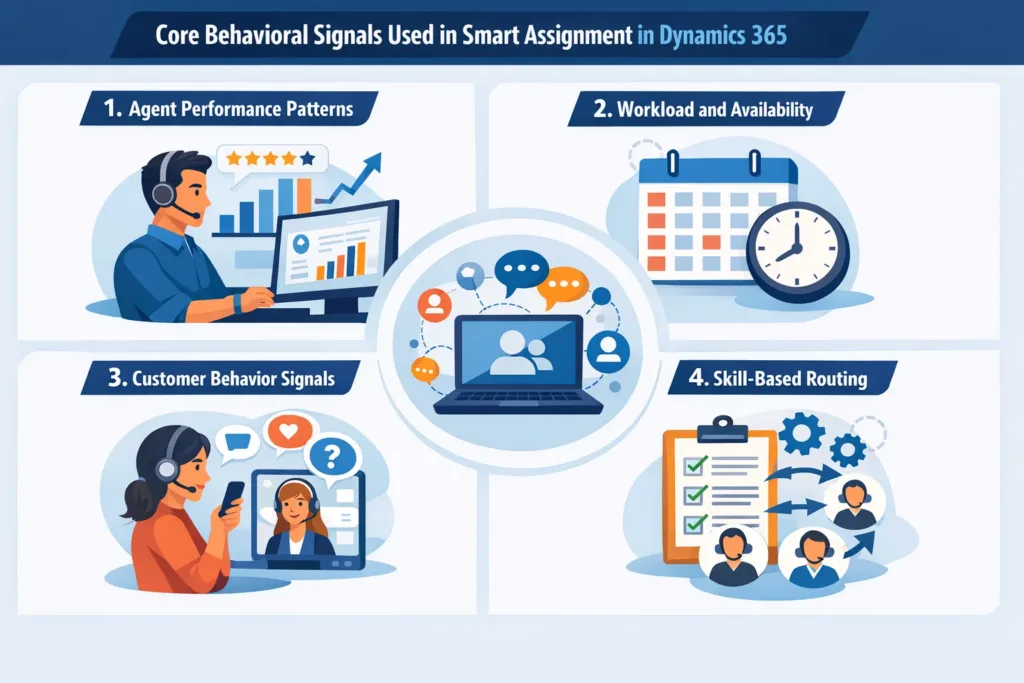
1. Agent Performance Patterns
Performance history helps determine which agent handles certain tasks best.
Examples include:
- Average resolution time
- Case closure rates
- Customer satisfaction scores
Therefore, high-performing agents can automatically receive complex or high-value cases.
2. Workload and Availability
An intelligent engine must also evaluate real-time workload.
| Factor | Description | Impact on Assignment |
|---|---|---|
| Open Tasks | Number of current tasks assigned | Prevents overloading agents |
| Response Time | Average response time of agent | Prioritizes faster responders |
| Active Sessions | Current ongoing interactions | Balances workload dynamically |
As a result, the system distributes work evenly while maintaining service quality.
3. Customer Behavior Signals
Customer interaction patterns also influence assignment decisions.
Important signals include:
- Customer purchase history
- Interaction frequency
- Complaint patterns
- Support tier or contract level
For instance, VIP customers may automatically be routed to senior support agents.
4. Skill-Based Routing
In many industries, tasks require specialized knowledge.
A smart engine can route requests based on:
- Product expertise
- Language skills
- Technical certifications
- Industry knowledge
Consequently, customers receive faster and more accurate support.
Architecture of a Smart Assignment Engine in Dynamics 365
Designing the assignment engine involves several layers of automation and data processing.
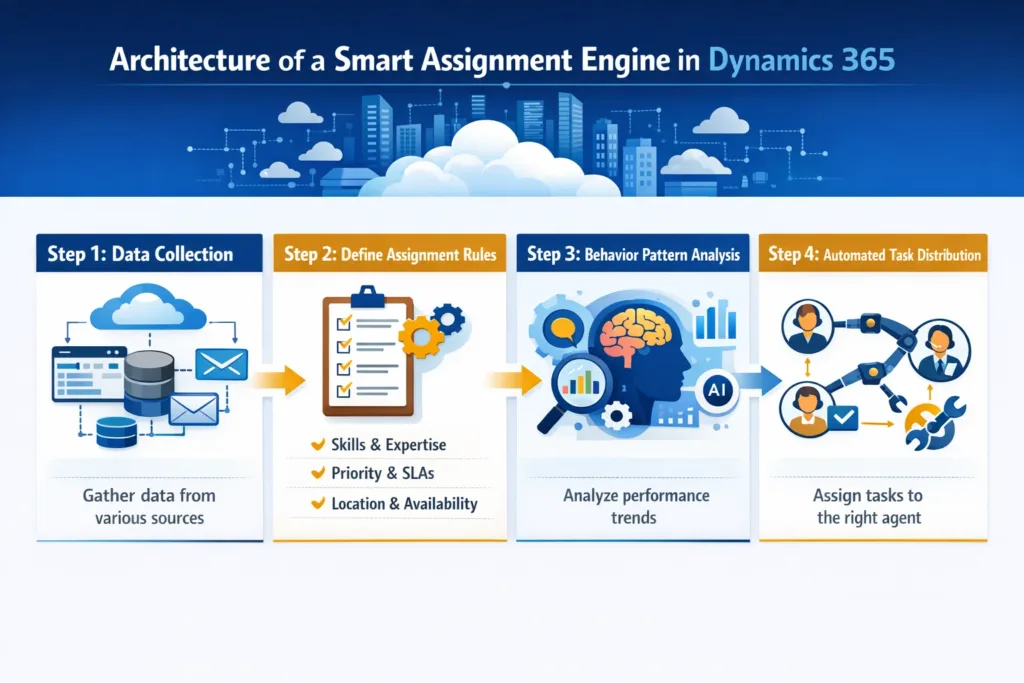
Step 1: Data Collection
First, behavioral and operational data must be collected from different sources such as:
- Dynamics 365 CRM records
- Customer interaction history
- Service cases and leads
- Power BI analytics dashboards
This data becomes the foundation for assignment logic.
Step 2: Define Assignment Rules
Next, rule-based logic is implemented using:
- Power Automate workflows
- Dynamics 365 routing rules
- Custom plugins
- AI-driven recommendations
These rules determine how tasks move through the system.
Step 3: Behavior Pattern Analysis
After collecting sufficient data, patterns begin to emerge.
For example:
- Certain agents may resolve technical issues faster
- Some teams may perform better with enterprise clients
- Others may specialize in onboarding support
Therefore, the assignment engine evolves from static rules to data-driven routing logic.
Step 4: Automated Task Distribution
Finally, automation executes the assignment.
Tasks may be routed to:
- Individual agents
- Specialized queues
- Territory-based teams
- Escalation groups
As a result, manual intervention becomes minimal.
Example Workflow of a Smart Assignment Engine
The following workflow illustrates how the process works inside Dynamics 365.
- A new lead or service case enters the CRM.
- The system analyzes customer attributes and interaction history.
- The engine evaluates agent performance and workload.
- Behavior patterns determine the best agent match.
- The task is automatically assigned.
- Performance metrics are recorded for future optimization.
Consequently, the system continuously learns and improves over time.
Best Practices for Designing a Smart Assignment Engine
To build an effective system, organizations should follow several proven practices.
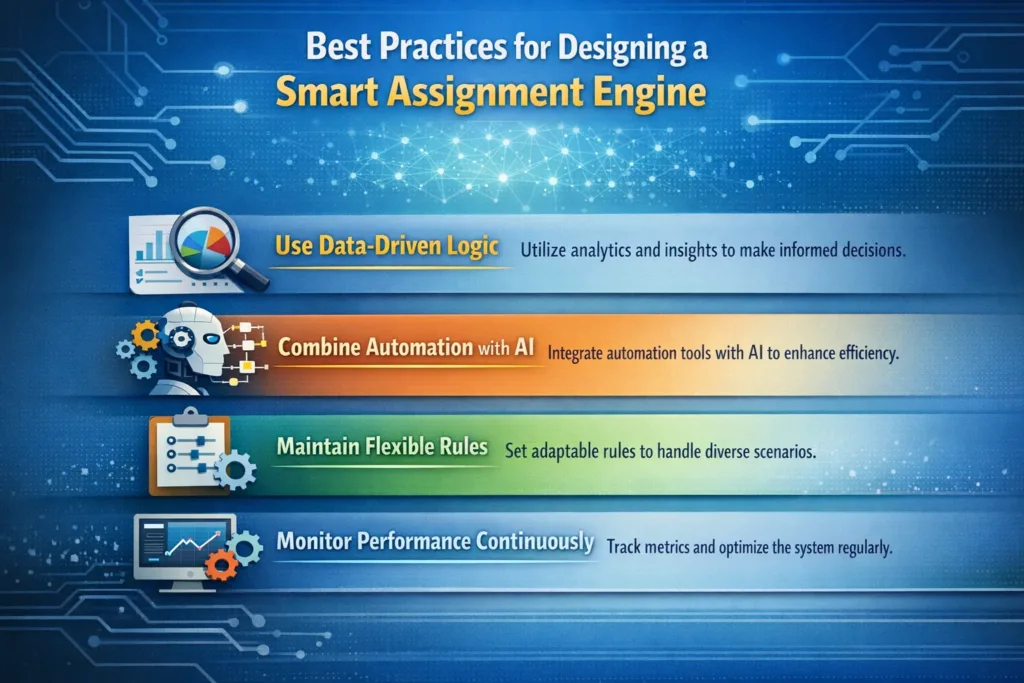
Use Data-Driven Logic
Instead of relying solely on static rules, incorporate historical performance data.
Combine Automation with AI
AI tools within Dynamics 365 can enhance assignment accuracy by predicting outcomes based on past behavior.
Maintain Flexible Rules
Business environments change frequently. Therefore, assignment logic should allow easy adjustments.
Monitor Performance Continuously
Regular monitoring ensures the engine delivers optimal results.
Key metrics to track include:
- Average response time
- Lead conversion rates
- Case resolution time
- Agent productivity
Tools That Power Smart Assignment in Dynamics 365
Several Microsoft technologies help implement intelligent assignment systems.
| Tool | Purpose |
|---|---|
| Dynamics 365 CRM | Central platform for data and workflows |
| Power Automate | Workflow automation |
| Power BI | Behavioral analytics and reporting |
| Power Apps | Custom applications and interfaces |
| AI Builder | Predictive insights and recommendations |
Together, these tools create a highly scalable automation ecosystem.
How Skysoft Connections Helps Implement Smart CRM Automation
Designing a behavior-driven assignment engine requires expertise in CRM architecture, automation workflows, and analytics.
This is where Skysoft Connections plays an important role.
Skysoft Connections specializes in:
- Microsoft Dynamics 365 CRM implementation
- Power Platform development
- AI-driven workflow automation
- Custom CRM architecture design
- Advanced reporting using Power BI
Their team helps organizations design intelligent CRM systems that scale with business growth. Moreover, they ensure that automation aligns with real operational behavior rather than rigid system rules.
As a result, businesses can unlock the full potential of Dynamics 365 and Microsoft Power Platform.
Future of Behavior-Based CRM Automation
CRM systems are rapidly evolving from rule-based tools to predictive automation platforms.
In the near future, smart assignment engines will incorporate:
- AI-driven predictive routing
- Real-time sentiment analysis
- Automated workload balancing
- Self-optimizing assignment algorithms
Therefore, companies that adopt intelligent CRM automation today will gain a significant competitive advantage.
Conclusion
Designing a smart assignment engine in Dynamics 365 based on behavior patterns enables organizations to transform their CRM operations. By combining behavioral analytics, automation workflows, and intelligent routing, businesses can significantly improve productivity and customer experience.
More importantly, behavior-driven systems continuously evolve as new data becomes available. Consequently, task assignments become faster, smarter, and more efficient over time.
With expert support from Skysoft Connections, companies can implement advanced Dynamics 365 solutions that deliver scalable automation and measurable business results.
Read more : dynamics 365 crm generative ai real wins in 2026
FAQ’s
A smart assignment engine automates task allocation based on behavior patterns, performance metrics, and workload, improving CRM efficiency.
By analyzing agent performance, workload, and customer interactions, tasks are routed to the right person, reducing delays and improving output.
Yes, Skysoft Connections specializes in Dynamics 365 CRM automation, AI-driven workflows, and behavior-based task assignment solutions.
 is a software solution company that was established in 2016. Our quality services begin with experience and end with dedication. Our directors have more than 15 years of IT experience to handle various projects successfully. Our dedicated teams are available to help our clients streamline their business processes, enhance their customer support, automate their day-to-day tasks, and provide software solutions tailored to their specific needs. We are experts in Dynamics 365 and Power Platform services, whether you need Dynamics 365 implementation, customization, integration, data migration, training, or ongoing support.