As organizations grow beyond 50 users, the Power Platform environment transforms from a simple departmental tool into a complex enterprise ecosystem requiring careful architectural planning. The difference between a functional implementation and a scalable, sustainable one often determines whether your Power Platform investment becomes a strategic advantage or a maintenance burden. This guide explores the critical architectural decisions, governance frameworks, and technical patterns that enable Power Platform to scale effectively across large teams.
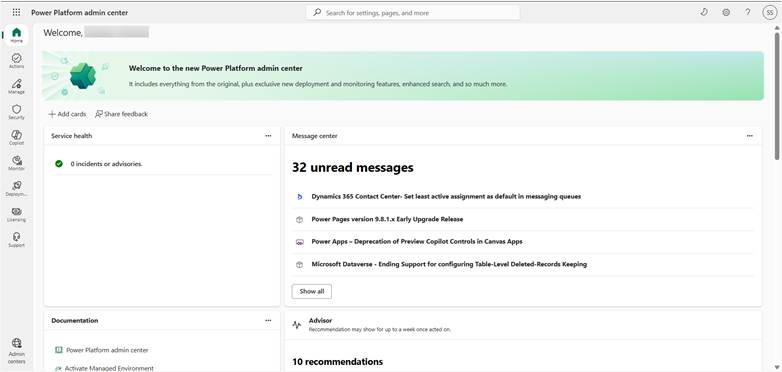
Understanding Scale Challenges
When your Power Platform user base crosses 50 users, you encounter a new set of architectural challenges that rarely surface in smaller deployments. These challenges span technical, organizational, and operational dimensions.
The 50-User Inflection Point
At 50+ users, you typically experience:
- Multiple teams building solutions simultaneously: Without coordination, you risk duplicated effort, conflicting solutions, and incompatible data models. A centralized catalog becomes essential.
- Performance bottlenecks in shared resources: Dataverse API throttling, connector limitations, and premium license contention become daily concerns rather than theoretical problems.
- Security and compliance complexity: Data loss prevention policies, role-based access control, and audit requirements multiply exponentially with user count.
- Environment sprawl: Uncontrolled environment creation leads to orphaned solutions, untracked dependencies, and governance nightmares.
Core Architectural Principles
1. Environment Strategy: The Foundation Layer
Your environment strategy is the bedrock of scalability. The traditional development-test-production pattern, while familiar, often proves insufficient for enterprise Power Platform deployments.
Recommended Environment Architecture:
| Environment Type | Purpose | Key Characteristics |
| Personal Dev | Individual experimentation | Auto-provisioned, isolated, can be deleted without impact |
| Shared Development | Team collaboration | Source control integration, shared components, co-authoring enabled |
| Test/QA | UAT and validation | Production-like config, sanitized data, automated testing |
| Production | Live business operations | Locked down, monitored, backup/disaster recovery enabled |
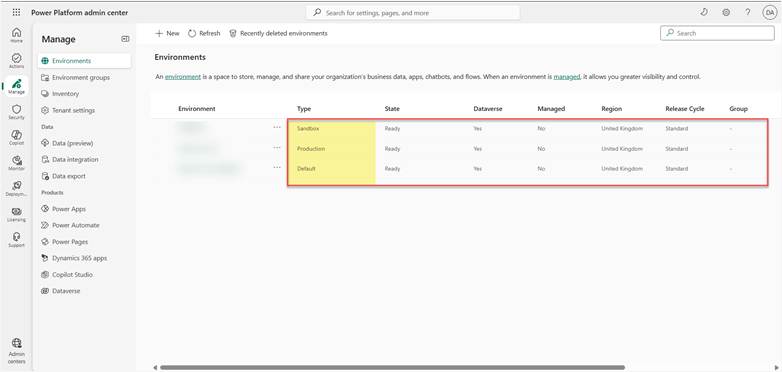
Critical consideration: For teams over 100 users, consider segregating environments by business unit or function while maintaining centralized governance. This prevents one team’s development activity from impacting another’s testing or production workloads.
2. Dataverse Architecture: Data Models That Scale
Dataverse becomes the central nervous system of a large Power Platform deployment. Poor data modeling decisions made early become exponentially more expensive to fix at scale.
Key principles for scalable Dataverse design:
- Normalize where it matters: Create reusable reference tables for common entities like departments, locations, and status codes. This prevents data inconsistency and simplifies bulk updates.
- Design for API limits: With multiple apps querying the same tables, you’ll hit Dataverse’s 60,000 API requests per five minutes per user threshold faster than expected. Implement caching strategies and optimize queries.
- Partition large datasets: For tables exceeding 500,000 records, implement archival strategies. Use separate tables for historical data and leverage Dataverse’s native archiving features.
- Index strategically: Every lookup and relationship field automatically creates an index, but custom indexes on frequently filtered fields dramatically improve query performance at scale.
3. Security Architecture: Defense in Depth
Security at scale requires layered controls that work in concert. A single security boundary is insufficient when you have 50+ users with varying access needs.
Implement these security layers:
- Environment-level DLP policies: Prevent data exfiltration by controlling which connectors can be used together. At minimum, separate business and non-business connectors.
- Business Unit hierarchy in Dataverse: Structure your org chart in Dataverse to enable row-level security inheritance. This scales far better than maintaining individual sharing relationships.
- Security roles with principle of least privilege: Create granular security roles rather than copying built-in roles. Document what each role can access and why.
- Azure AD conditional access integration: Leverage Azure AD policies to enforce MFA, device compliance, and location-based restrictions for Power Platform access.
Governance Framework
Technical architecture means nothing without governance. At 50+ users, self-service development without guardrails leads to chaos.
Center of Excellence (CoE) Toolkit
Microsoft’s CoE Starter Kit isn’t optional at this scale—it’s essential infrastructure. The toolkit provides:
- Inventory and compliance dashboards: Automated discovery of all apps, flows, and connectors across your tenant with usage analytics.
- Automated cleanup: Identify and archive unused apps, reducing clutter and license waste.
- Self-service request workflows: Standardize environment provisioning and premium connector approval through governed processes.
Implementation tip: Deploy the CoE Starter Kit in a dedicated governance environment with admin-only access. Schedule weekly data refreshes to maintain accurate inventory.
Maker Enablement Program
Scaling successfully requires empowering makers, not restricting them. Create a structured enablement program:
- Tiered maker certification: Define citizen developer, advanced maker, and professional developer tiers with corresponding privileges and training requirements.
- Solution templates library: Build reusable templates for common scenarios (approval workflows, forms, dashboards) to accelerate development and ensure consistency.
- Office hours and support channels: Establish regular maker office hours and dedicated Teams channels for peer support and knowledge sharing.
Performance and Scalability Patterns
ALM and DevOps Integration
Manual deployments don’t scale past a handful of apps. Implement proper Application Lifecycle Management:
- Source control everything: Use Power Platform CLI and Azure DevOps or GitHub to version control solutions. This includes canvas apps, model-driven apps, flows, and Dataverse customizations.
- Automated deployment pipelines: Create CI/CD pipelines that automatically deploy from development through test to production, including environment variable substitution and connection reference updates.
- Solution packaging strategy: Group related components into managed solutions. Use solution layers appropriately—avoid excessive layering that complicates troubleshooting.
Monitoring and Observability
You can’t manage what you don’t measure. Implement comprehensive monitoring:
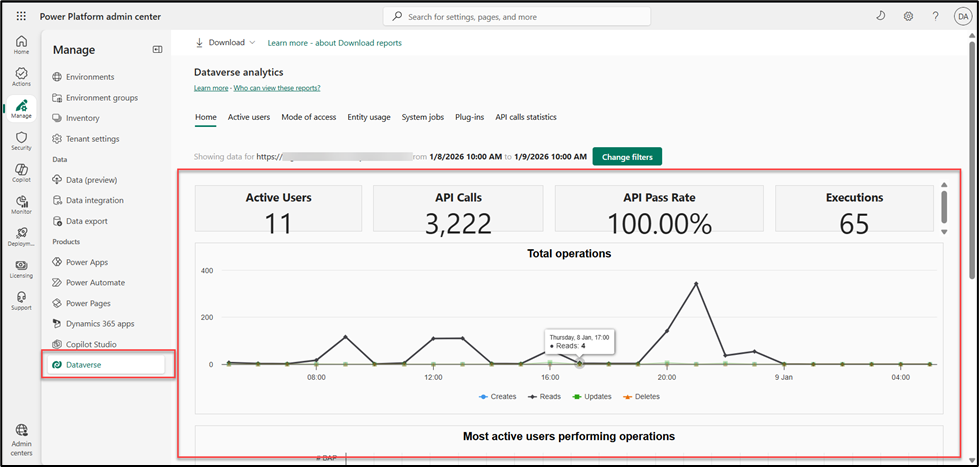
- Power Platform analytics: Enable tenant-level analytics to track app usage, flow runs, and connector activity.
- Application Insights integration: For critical apps and flows, send telemetry to Azure Application Insights for deep performance analysis and custom alerting.
- Custom health dashboards: Build Power BI reports that aggregate CoE data, Dataverse metrics, and Application Insights logs into executive-ready scorecards.
Licensing and Cost Optimization
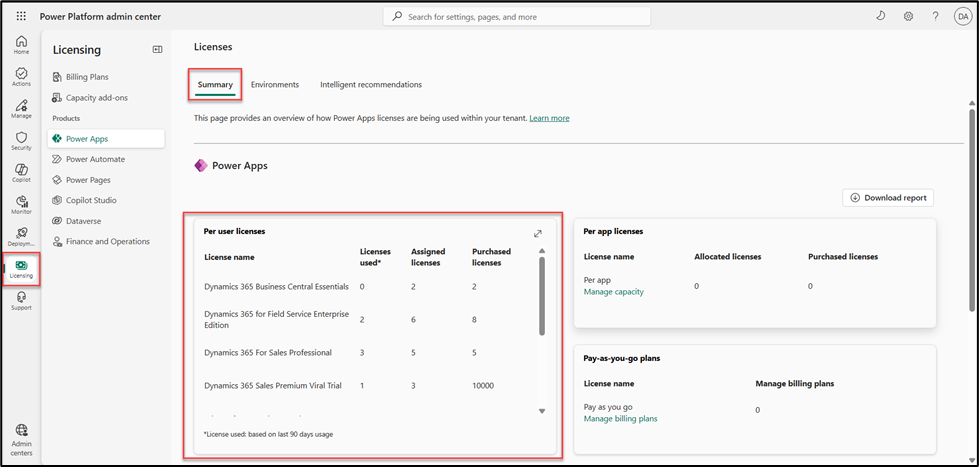
At scale, licensing costs become a significant budget item. Strategic license management can save hundreds of thousands annually.
License Strategy
- Per-app vs per-user analysis: Users who access 1-2 apps benefit from per-app licensing ($10/app/user/month). Heavy users need per-user licenses ($20/user/month). Run quarterly analysis to optimize assignments.
- Power Automate license optimization: Flows with premium connectors require premium licenses, but not every user needs one. Designate flow service accounts with premium licenses that run flows on behalf of standard users.
- Dataverse storage monitoring: Monitor database and file storage consumption. Archive historical data and implement retention policies before hitting overage charges.
Common Pitfalls and How to Avoid Them
- Pitfall: Letting every team create their own environments
Solution: Implement environment request workflows through the CoE toolkit. Require business justification and owner accountability. Set expiration dates for experimental environments.
- Pitfall: Building everything in default environment
Solution: Lock down the default environment for production-only apps. Force development to occur in dedicated dev environments with proper ALM.
- Pitfall: Sharing apps with everyone by default
Solution: Require makers to identify specific security groups during app creation. Implement regular access reviews through automated compliance flows.
- Pitfall: No backup or disaster recovery plan
Solution: Implement automated Dataverse backups, maintain solution packages in source control, and document recovery procedures. Test recovery quarterly.
Moving Forward: Your Scalability Roadmap
Transitioning from a small Power Platform deployment to an enterprise-grade architecture doesn’t happen overnight. Prioritize these steps:
- Months 1-2: Assessment and planning — Inventory existing solutions, identify quick wins and technical debt, and establish your governance team.
- Months 3-4: Foundation — Deploy CoE Starter Kit, implement environment strategy, and create DLP policies.
- Months 5-6: Enablement — Launch maker training program, build solution templates, and establish support channels.
- Months 7+: Optimization — Implement ALM processes, integrate monitoring, and continuously refine based on usage patterns.
The organizations that succeed at Power Platform scale treat it as a strategic platform requiring ongoing investment in architecture, governance, and enablement. The upfront effort pays dividends in reduced technical debt, faster time-to-value for new solutions, and sustainable growth. Your Power Platform isn’t just a collection of apps and flows—it’s a capability that, when architected correctly, transforms how your organization builds and delivers digital solutions.
Key Takeaways:
- Environment strategy and Dataverse architecture form the foundation of scalability
- Governance through CoE toolkit and maker enablement prevents chaos while empowering innovation
- ALM and monitoring transform Power Platform from a collection of apps into a managed platform
- License optimization and careful planning control costs at scale
- Success requires treating Power Platform as strategic infrastructure, not just a productivity tool
Read more : solution layering azure integration challenges
FAQ’s
As soon as the user base approaches 50 users or multiple teams start building solutions. Early planning prevents performance, security, and governance issues later.
It provides visibility, governance, and automation to manage apps, flows, environments, and makers at scale—helping avoid sprawl and compliance risks.
By choosing the right licensing model, monitoring Dataverse storage, reusing components, and optimizing premium connector usage through service accounts.
 is a software solution company that was established in 2016. Our quality services begin with experience and end with dedication. Our directors have more than 15 years of IT experience to handle various projects successfully. Our dedicated teams are available to help our clients streamline their business processes, enhance their customer support, automate their day-to-day tasks, and provide software solutions tailored to their specific needs. We are experts in Dynamics 365 and Power Platform services, whether you need Dynamics 365 implementation, customization, integration, data migration, training, or ongoing support.