Table of Content
In the world of Microsoft Dynamics 365 CRM, maintaining clean and accurate data is critical. After all, businesses rely on CRM systems for reporting, forecasting, and customer insights. However, there’s a hidden challenge many organizations overlook: the overuse of mandatory fields.
While mandatory fields are designed to enforce data integrity, they often come at a cost poor user adoption. So, how do you strike the right balance? Let’s explore.
Why Data Integrity Matters in Dynamics CRM
Data integrity ensures that your CRM data is:
- Accurate
- Complete
- Consistent
- Reliable for decision-making
Without it, even the most advanced CRM system becomes ineffective. For example, incomplete customer profiles can lead to missed opportunities, poor targeting, and flawed analytics.
However, here’s the catch:
Enforcing data integrity too aggressively especially through mandatory fields can frustrate users.
The Role of Mandatory Fields in CRM Systems
Mandatory (required) fields in Dynamics CRM are used to ensure that critical information is always captured.
Common Examples:
- Customer name
- Email address
- Lead source
- Deal value
Why Businesses Use Them:
- To standardize data entry
- To improve reporting accuracy
- To ensure compliance with processes
However, while the intention is good, the execution often fails.
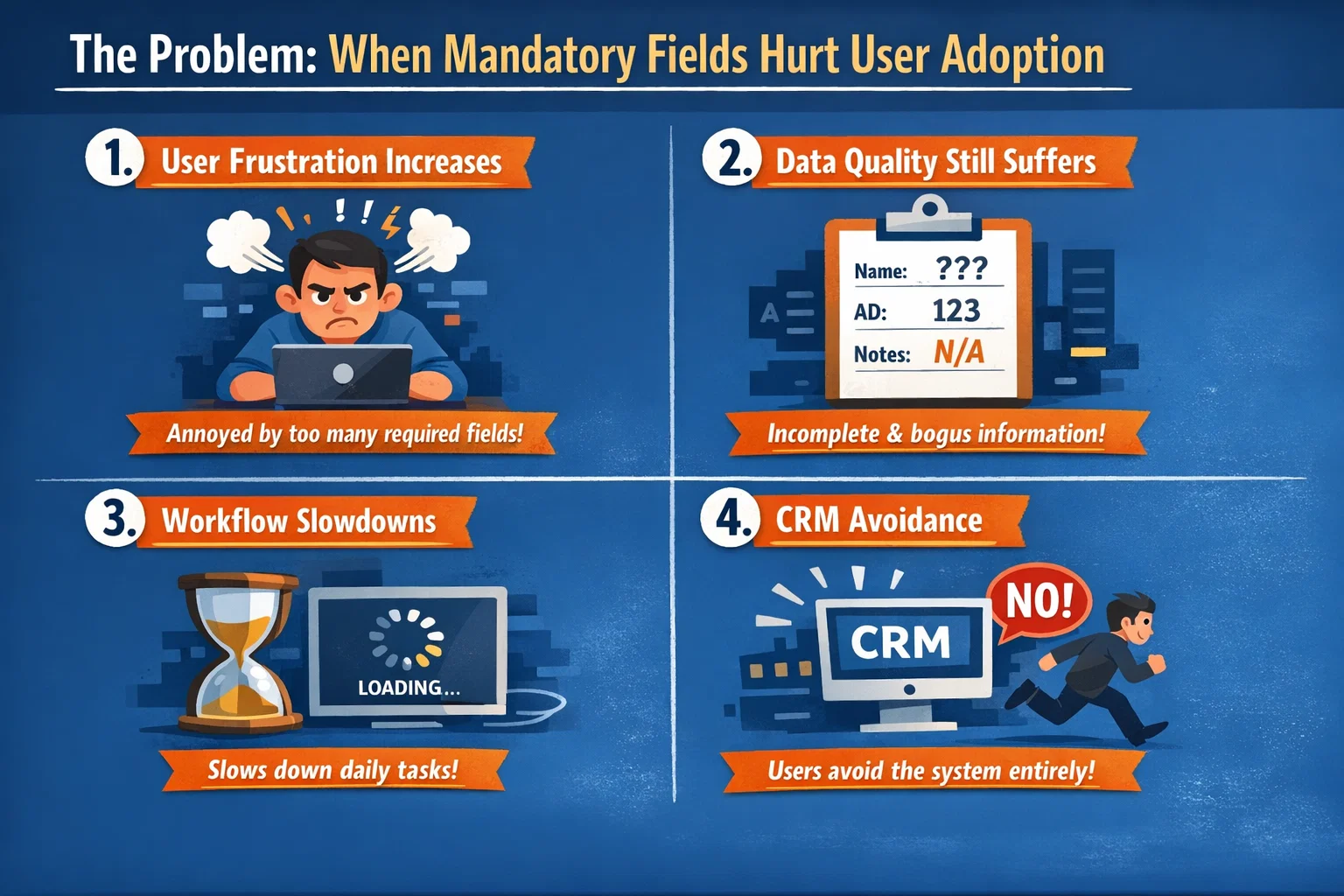
The Problem: When Mandatory Fields Hurt User Adoption
Although mandatory fields aim to improve data quality, they can negatively impact user behavior.
Key Issues
1. User Frustration Increases
When users are forced to fill in too many fields, especially irrelevant ones, they feel overwhelmed.
2. Data Quality Still Suffers
Ironically, users may:
- Enter random or incorrect data just to proceed
- Use placeholders like “N/A” or “Test”
3. Workflow Slowdowns
Sales and service teams prefer speed. Therefore, excessive mandatory fields slow down processes and reduce productivity.
4. CRM Avoidance
In extreme cases, users may:
- Delay updates
- Avoid using the CRM altogether
Data Integrity vs User Adoption: Finding the Balance
To build a successful CRM strategy, you must balance data accuracy with user experience.
Comparison Table
| Factor | High Data Integrity Focus | High User Adoption Focus |
|---|---|---|
| Mandatory Fields | Many required fields | Minimal required fields |
| User Experience | Often rigid | Flexible and user-friendly |
| Data Accuracy | High (in theory) | Moderate but realistic |
| User Satisfaction | Low | High |
| System Usage | Low (due to friction) | High |
The goal is not to choose one over the other but to optimize both.
Best Practices for Managing Mandatory Fields in Dynamics CRM
Instead of overloading your CRM with required fields, consider a smarter approach.
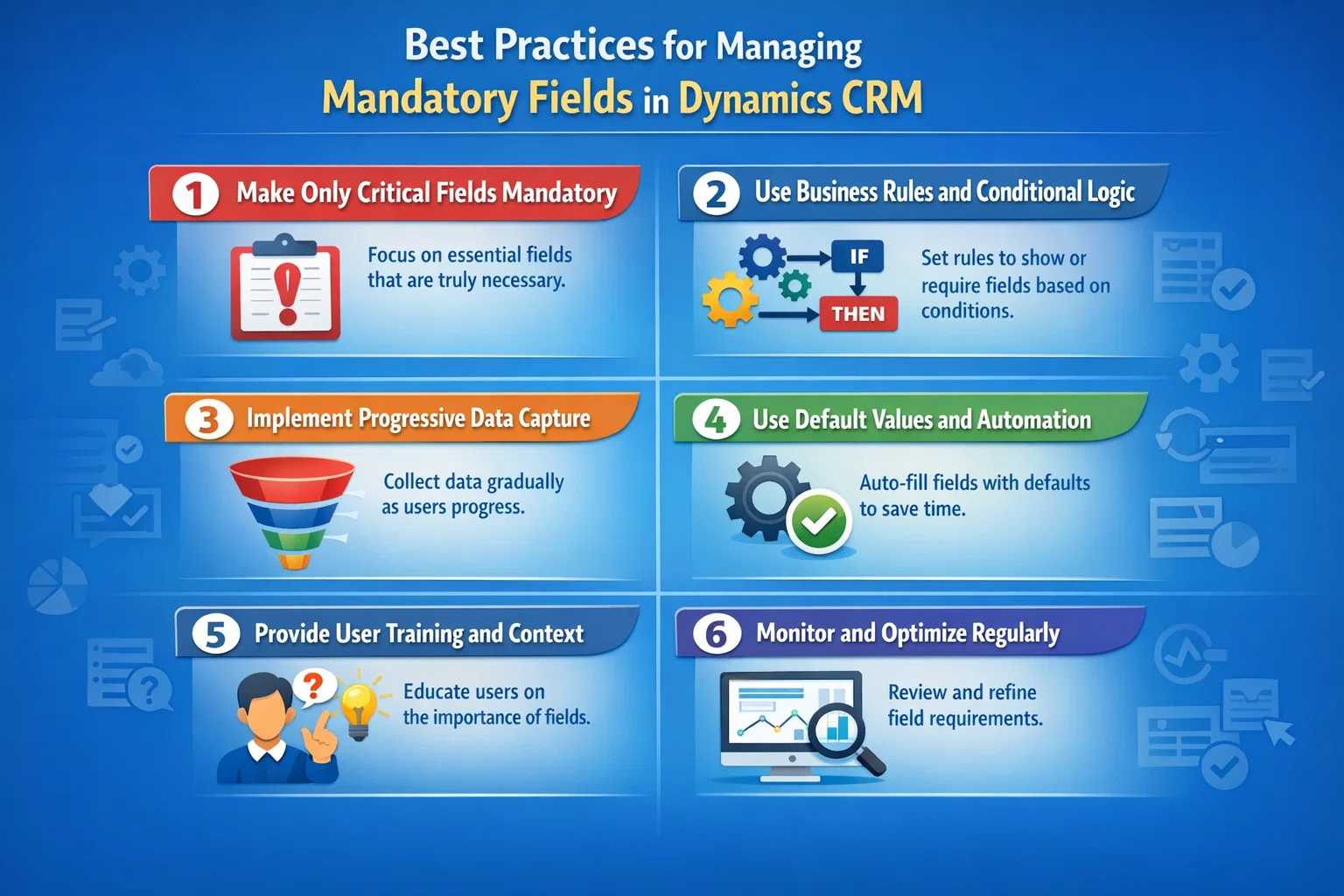
1. Make Only Critical Fields Mandatory
Ask yourself:
“Is this field absolutely necessary at this stage?”
If not, make it optional.
2. Use Business Rules and Conditional Logic
Dynamics CRM allows dynamic field requirements.
For example:
- Make “Budget” mandatory only when a deal reaches a certain stage
- Require “Email” only for specific lead types
3. Implement Progressive Data Capture
Instead of collecting all data upfront:
- Start with minimal fields
- Gradually collect more information over time
This improves user experience while maintaining data quality.
4. Use Default Values and Automation
Reduce manual effort by:
- Auto-filling fields
- Integrating with external data sources
- Using workflows or Power Automate
5. Provide User Training and Context
Users are more likely to comply when they understand why data matters.
- Explain the impact of accurate data
- Show how it improves their performance
6. Monitor and Optimize Regularly
Use CRM analytics to track:
- Field completion rates
- User behavior
- Drop-off points
Then refine your approach accordingly.
Real-World Example
Imagine a sales team using Dynamics CRM with 15 mandatory fields for lead creation.
What Happens?
- Leads take longer to enter
- Sales reps skip CRM updates
- Data becomes inconsistent anyway
Optimized Approach:
- Reduce mandatory fields to 4–5 essentials
- Use automation for the rest
- Capture additional data later
Result:
Higher adoption + better data quality
How Sky Soft Connection Can Help
Balancing data integrity and user adoption requires expertise in CRM design and user experience. That’s where Sky Soft Connection comes in.
Our Dynamics CRM Services Include:
- Custom CRM Design & Implementation
Tailored to your business workflows - User-Centric Field Optimization
Reduce friction and improve usability - Automation & Integration
Minimize manual data entry - Data Governance Strategies
Maintain high-quality data without overwhelming users - Training & Support
Ensure your team actually uses the system
With the right approach, you don’t have to choose between data integrity and user adoption you can achieve both.
Key Takeaways
- Mandatory fields are important—but overusing them can backfire
- Poor user experience leads to low CRM adoption
- Low adoption ultimately results in poor data quality
- A balanced, user-centric approach is essential
Conclusion
In Dynamics CRM, the goal is not just to collect data it’s to create a system that people actually use. While mandatory fields help maintain structure, they should be applied thoughtfully.
Therefore, by combining smart design, automation, and user-focused strategies, businesses can ensure both high data integrity and strong user adoption.
Read more : circular dependencies in software design
FAQ’s
Ideally, only 3–5 critical fields at the initial stage. Additional fields can be collected later.
Not always. In fact, too many required fields can lead to inaccurate or fake data entries.
Focus on user experience, reduce friction, and use automation instead of forcing data entry.
 is a software solution company that was established in 2016. Our quality services begin with experience and end with dedication. Our directors have more than 15 years of IT experience to handle various projects successfully. Our dedicated teams are available to help our clients streamline their business processes, enhance their customer support, automate their day-to-day tasks, and provide software solutions tailored to their specific needs. We are experts in Dynamics 365 and Power Platform services, whether you need Dynamics 365 implementation, customization, integration, data migration, training, or ongoing support.