Table of Content
In today’s data-driven world, reporting is no longer optional—it’s strategic. Businesses using Microsoft Dynamics 365 expect more than static reports; they want real-time insights, visual clarity, and actionable dashboards. That’s exactly where Dynamics 365 Views and Dashboards create a reporting revolution.
In this guide, you’ll learn how to craft dynamic dashboards using Dynamics 365 views, why they matter for decision-makers, and how expert implementation can transform raw CRM data into powerful business intelligence.
Why Reporting in Dynamics 365 Is Evolving
Traditional CRM reports often fail because they are:
- Static and outdated
- Hard to customize
- Disconnected from daily workflows
However, Dynamics 365 views and dashboards change the game. They provide live, role-based reporting directly inside the CRM—no extra tools required.
As a result, teams can:
- Monitor KPIs in real time
- Identify trends faster
- Act on data immediately
What Are Dynamics 365 Views? (And Why They Matter)
Dynamics 365 Views are filtered representations of CRM data. They define what data users see and how they see it.
Types of Views in Dynamics 365
- System Views – Created by admins, used across the organization
- Personal Views – Created by users for personal productivity
- Public Views – Shared personal views with teams
Because views act as the foundation of dashboards, designing them correctly is critical.
How Views Power Dynamic Dashboards in Dynamics 365
Dashboards in Dynamics 365 don’t exist in isolation. Instead, they are built on top of views, charts, and visual components.
Core Components of a Dynamics 365 Dashboard
| Component | Purpose |
|---|---|
| Views | Filter and structure CRM data |
| Charts | Visualize performance trends |
| Lists | Display real-time records |
| KPIs | Track business goals |
Therefore, the smarter your views, the more powerful your dashboards become.
Step-by-Step: Crafting Dynamic Dashboards with Dynamics 365 Views
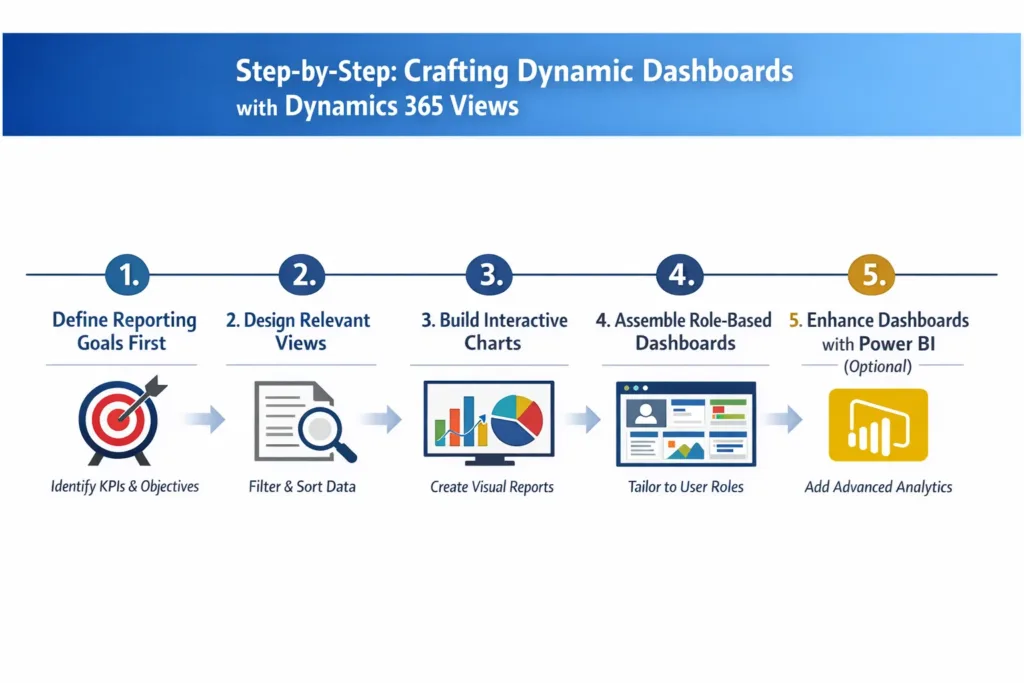
1. Define Reporting Goals First
Before building anything, ask:
- What decisions should this dashboard support?
- Who will use it—sales, service, or management?
By doing this first, you avoid unnecessary complexity.
2. Design Optimized Views
Next, create views that are:
- Highly focused
- Performance-optimized
- Role-specific
For example:
- Sales Pipeline View → Open opportunities by stage
- Service Performance View → Active cases by priority
Pro tip: Always limit columns and apply indexed filters to maintain speed.
3. Build Interactive Charts
After that, attach charts to your views:
- Bar charts for comparisons
- Line charts for trends
- Pie charts for distribution
Since charts are view-driven, users can click through visuals to underlying records, improving usability.
4. Assemble Role-Based Dashboards
Now, combine views and charts into dashboards tailored to each role.
Examples:
- Sales Manager Dashboard
- Customer Support Dashboard
- Executive KPI Dashboard
As a result, every user sees only what matters to them.
5. Enhance Dashboards with Power BI (Optional)
Although native dashboards are powerful, integrating Power BI with Dynamics 365 unlocks advanced analytics.
This is especially useful for:
- Cross-entity reporting
- Predictive insights
- Executive-level reporting
Dynamics 365 Dashboards vs Traditional Reports
| Feature | Traditional Reports | Dynamics 365 Dashboards |
|---|---|---|
| Data Freshness | Static | Real-time |
| Interactivity | Limited | High |
| User Adoption | Low | High |
| Customization | Technical | User-friendly |
Clearly, dashboards provide faster insights and better engagement.
Common Mistakes to Avoid When Building Dashboards
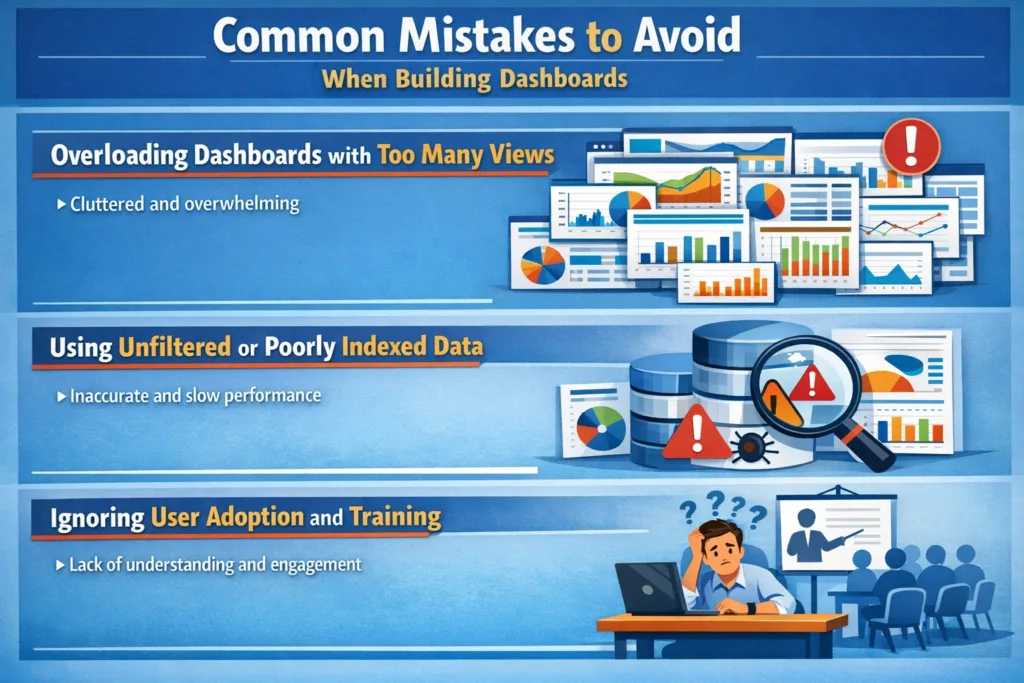
Even powerful tools can fail if misused. Therefore, avoid:
- Overloading dashboards with too many views
- Using unfiltered or poorly indexed data
- Ignoring user adoption and training
Instead, keep dashboards simple, focused, and actionable.
Why SkySoft Connection Is Your Partner in Dynamics 365 Reporting
At SkySoft Connection, we specialize in:
- Dynamics 365 reporting architecture
- Custom views and dashboards
- Power BI integration
- Performance optimization
- Role-based CRM design
Moreover, we don’t just build dashboards—we align reporting with business strategy. As a result, your CRM becomes a decision-making engine, not just a data repository.
Final Thoughts: Turn CRM Data into Decisions
Dynamic dashboards built on well-crafted Dynamics 365 views empower teams to see the full picture clearly and instantly. When reporting is done right, productivity increases, decisions improve, and business growth accelerates.
Ready to revolutionize your Dynamics 365 reporting?
Contact SkySoft Connection today and let our experts design high-performance dashboards tailored to your business goals.
Read more : dynamics 365 security balance access protection
FAQs: Dynamics 365 Views & Dashboards
Dynamics 365 views are used to filter and organize CRM data, making them the foundation for dashboards, charts, and real-time reporting.
Yes, Dynamics 365 dashboards display live data, so users always see the most up-to-date information without refreshing reports manually.
Personal dashboards are created for individual users, while system dashboards are built by administrators and shared across teams or departments.
Yes, Power BI integrates seamlessly with Dynamics 365 to provide advanced analytics, interactive visuals, and cross-entity reporting.
 is a software solution company that was established in 2016. Our quality services begin with experience and end with dedication. Our directors have more than 15 years of IT experience to handle various projects successfully. Our dedicated teams are available to help our clients streamline their business processes, enhance their customer support, automate their day-to-day tasks, and provide software solutions tailored to their specific needs. We are experts in Dynamics 365 and Power Platform services, whether you need Dynamics 365 implementation, customization, integration, data migration, training, or ongoing support.