Table of Content
Selecting the right Microsoft Dynamics 365 licenses can feel overwhelming. With multiple apps, plans, add-ons, and role-based options, many businesses make costly mistakes—often without realizing it.
As a result, companies either overpay for unused features or under-license critical roles, which directly impacts productivity and ROI.
In this guide, we’ll break down the most common Dynamics 365 licensing mistakes, explain why they happen, and most importantlyshow you how to avoid them with the right strategy and expert guidance from Skysoft Connections.
Why Dynamics 365 Licensing Decisions Matter
Dynamics 365 is not a one-size-fits-all solution. Instead, it’s a modular ecosystem designed to support sales, marketing, customer service, finance, operations, and automation.
However, choosing licenses without a clear plan can lead to:
- Unnecessary licensing costs
- Limited system adoption
- Compliance risks
- Poor user experience
- Scalability issues later
Therefore, understanding licensing before implementation is critical.
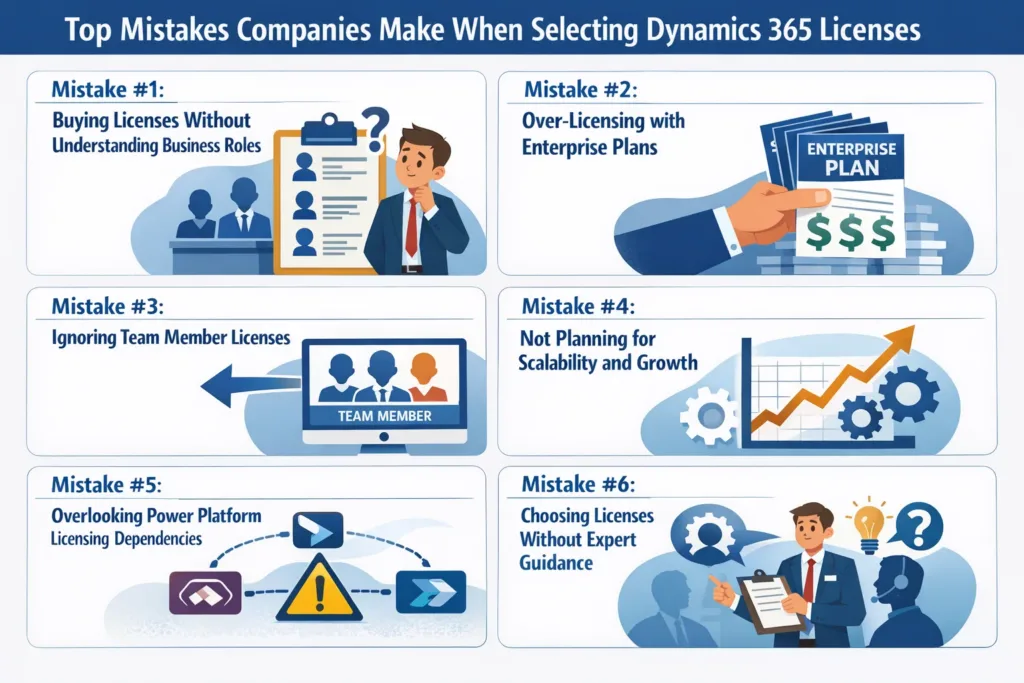
Mistake #1: Buying Licenses Without Understanding Business Roles
One of the most common mistakes companies make is licensing everyone the same way.
Although it may seem simpler, this approach usually leads to wasted budget.
Why This Happens
- Lack of internal CRM expertise
- Rushed implementation timelines
- Assumption that “full user” licenses are always required
How to Avoid It
Instead, map licenses to actual job roles.
For example:
- Sales reps may only need Dynamics 365 Sales Professional
- Customer support teams often need Customer Service Enterprise
- Managers may only require read-only or reporting access
Skysoft Connections helps businesses perform role-based license mapping, ensuring every user has exactly what they need—nothing more, nothing less.
Mistake #2: Over-Licensing with Enterprise Plans
While Enterprise licenses are powerful, they’re not always necessary.
In fact, many SMBs pay for advanced features they never use.
Common Over-Licensing Scenarios
- Buying Sales Enterprise when Sales Professional is enough
- Assigning full licenses to occasional users
- Ignoring Team Member licenses
Comparison Table: Choosing the Right License Type
| User Type | Recommended License | Why |
|---|---|---|
| Sales Executives | Sales Professional | Core sales features only |
| Customer Support Agents | Customer Service Enterprise | Case management & SLAs |
| Managers | Team Member | Reporting & dashboards |
| Marketing Teams | Dynamics 365 Marketing | Campaign automation |
Pro tip: Licensing should scale with usage not assumptions.
Mistake #3: Ignoring Team Member Licenses
Many businesses overlook Dynamics 365 Team Member licenses, even though they are one of the most cost-effective options.
What Team Member Licenses Are Good For
- Viewing dashboards and reports
- Updating limited records
- Basic collaboration
Why This Matters
By assigning full licenses to light users, companies increase costs without adding value.
Skysoft Connections regularly helps clients reduce licensing costs by 30–40% simply by optimizing Team Member usage.
Mistake #4: Not Planning for Scalability and Growth
Often, businesses license for today but forget about tomorrow.
As a result, they struggle when:
- Teams expand
- New departments adopt CRM
- Automation needs increase
How to Avoid This Mistake
- Choose licenses that support future integrations
- Consider Power Platform usage early
- Align CRM licensing with long-term business goals
At Skysoft Connections, we design future-ready Dynamics 365 architectures, ensuring your licenses grow with your business—not against it.
Mistake #5: Overlooking Power Platform Licensing Dependencies
Dynamics 365 works closely with:
- Power BI
- Power Automate
- Power Apps
However, many companies assume these are “included”—which is not always the case.
Common Licensing Gaps
- Insufficient Power Automate runs
- Missing Power Apps premium licenses
- Limited Power BI sharing access
Solution
A licensing strategy must consider Dynamics 365 + Power Platform together.
Skysoft Connections specializes in end-to-end Microsoft ecosystem licensing, eliminating surprises after go-live.
Mistake #6: Choosing Licenses Without Expert Guidance
Perhaps the biggest mistake is making licensing decisions without consulting Dynamics 365 experts.
Why This Is Risky
- Microsoft licensing rules change frequently
- Incorrect setup can lead to compliance issues
- Costs escalate silently over time
How Skysoft Connections Helps
We provide:
- ✔ Licensing assessment & optimization
- ✔ Cost-reduction strategies
- ✔ Role-based access planning
- ✔ Power Platform integration support
- ✔ Ongoing license audits
With over 40,000+ hours of successful Microsoft project delivery, Skysoft Connections ensures your CRM investment delivers measurable ROI.
How to Select the Right Dynamics 365 Licenses: A Simple Framework
Before buying licenses, ask these questions:
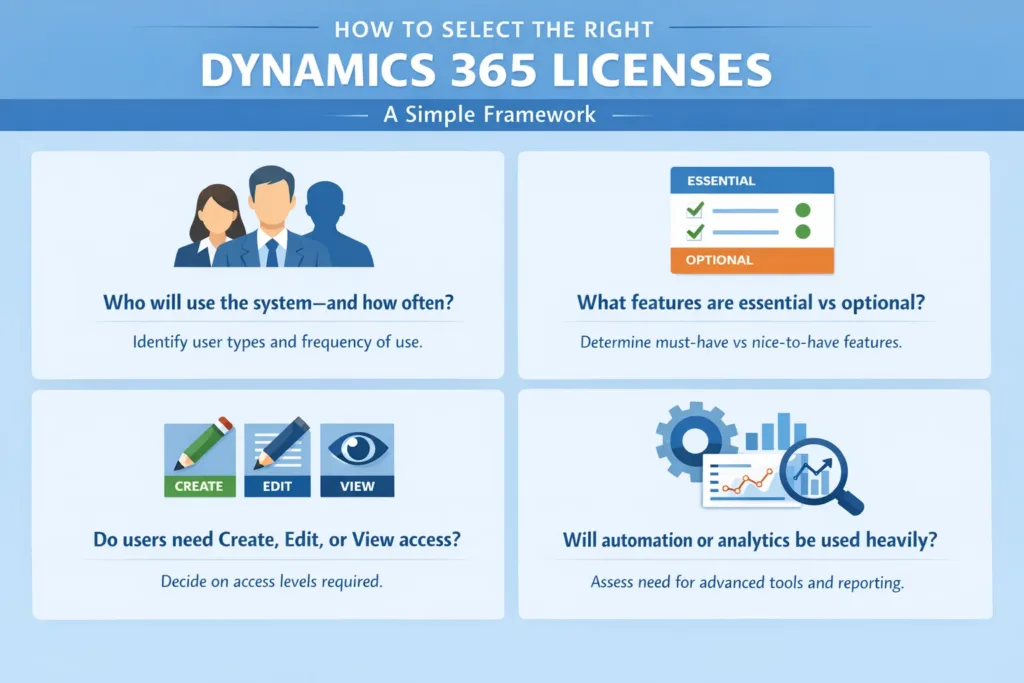
- Who will use the system and how often?
- What features are essential vs optional?
- Do users need create, edit, or view access?
- Will automation or analytics be used heavily?
Answering these upfront avoids 90% of licensing mistakes.
Final Thoughts: Smarter Licensing = Better CRM ROI
Choosing the right Dynamics 365 licenses is not just an IT decision it’s a strategic business move.
When done correctly:
- Costs decrease
- Adoption increases
- Productivity improves
- Scalability becomes effortless
If you want to avoid common licensing pitfalls and maximize value from Dynamics 365, Skysoft Connections is your trusted partner for licensing, implementation, customization, and ongoing support.
Need Help Optimizing Your Dynamics 365 Licenses?
📩 Talk to Skysoft Connections today and turn licensing confusion into a competitive advantage.
Read more : dynamics 365 marketing personalize emails engage
FAQ’s
To choose the right Dynamics 365 license, you should evaluate user roles, required features, and future scalability. A role-based licensing approach helps avoid overpaying and ensures each user has appropriate access.
Yes, Dynamics 365 licensing costs can often be reduced by reviewing usage, switching light users to Team Member licenses, and optimizing Power Platform dependencies with expert guidance.
Dynamics 365 includes limited Power Platform capabilities, but advanced Power Apps, Power Automate, and Power BI features often require additional or premium licenses.
 is a software solution company that was established in 2016. Our quality services begin with experience and end with dedication. Our directors have more than 15 years of IT experience to handle various projects successfully. Our dedicated teams are available to help our clients streamline their business processes, enhance their customer support, automate their day-to-day tasks, and provide software solutions tailored to their specific needs. We are experts in Dynamics 365 and Power Platform services, whether you need Dynamics 365 implementation, customization, integration, data migration, training, or ongoing support.