Table of Content
- Why Dynamics 365 Data Extraction Matters
- Common Methods for Dynamics 365 Data Extraction
- Best Practices for Dynamics 365 Data Extraction
- Sky Soft Connections Services for Dynamics 365 Data Extraction
- Step-by-Step Dynamics 365 Data Extraction Process
- Key Tips for SEO-Friendly Data Reporting
- FAQ’s
- Conclusion
Data drives decisions. In today’s fast-paced business environment, extracting the right data from Microsoft Dynamics 365 efficiently is crucial for actionable insights. Whether you aim to analyze customer behavior, streamline operations, or improve reporting, a proper data extraction strategy is essential.
In this guide, we’ll explore Dynamics 365 data extraction techniques, best practices, and tools, while highlighting how Sky Soft Connections can help you leverage your CRM data effectively.
Why Dynamics 365 Data Extraction Matters
Businesses increasingly rely on data-driven decisions. However, extracting and utilizing data from Dynamics 365 can be challenging without the right approach. Effective data extraction allows you to:
- Gain actionable insights: Understand customer trends and operational performance.
- Improve reporting accuracy: Generate reliable reports for management or regulatory needs.
- Enhance integrations: Seamlessly connect Dynamics 365 with other business systems.
- Save time: Automate data extraction instead of manual exporting.
Common Methods for Dynamics 365 Data Extraction
Understanding different extraction methods is key to selecting the right approach for your organization.
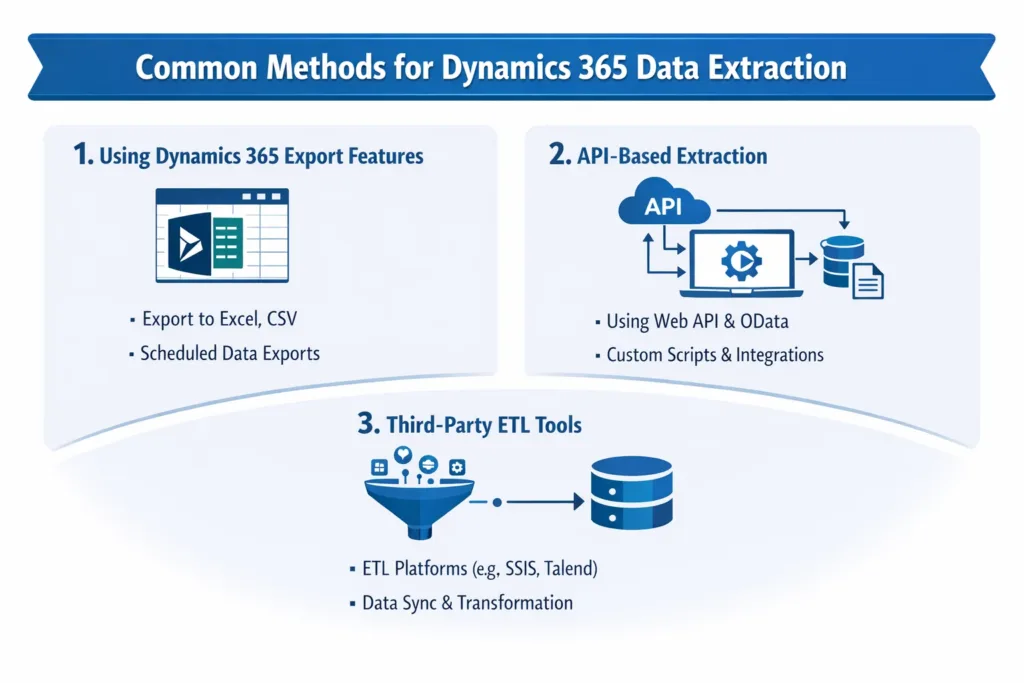
1. Using Dynamics 365 Export Features
Dynamics 365 natively allows data export via:
- Excel Export: Quick and easy for small datasets.
- Data Export Service: Enables near real-time replication to Azure SQL.
- Advanced Find: Extract specific data with custom filters.
Pros: Easy to use, no additional tools required
Cons: Limited scalability for large datasets
2. API-Based Extraction
Dynamics 365 offers APIs for developers to extract data programmatically:
| API Type | Use Case | Advantages |
|---|---|---|
| Web API | Custom app integrations | Flexible and modern REST-based approach |
| Organization Service | CRM operations automation | Supports complex queries and bulk data operations |
| OData Feed | Reporting tools like Power BI | Streamlined for analytics and BI integration |
3. Third-Party ETL Tools
ETL (Extract, Transform, Load) tools simplify large-scale data extraction. Popular choices include:
- KingswaySoft
- Scribe Online
- Sky Soft Connections Custom Solutions
Using ETL tools helps in automating workflows, cleaning data, and integrating it into data warehouses efficiently.
Best Practices for Dynamics 365 Data Extraction
To ensure a smooth extraction process, follow these best practices:
- Plan Your Extraction: Identify data sources, fields, and frequency.
- Ensure Data Quality: Validate and cleanse data to avoid inconsistencies.
- Use Incremental Loads: Extract only changed data to improve efficiency.
- Monitor Performance: Track extraction processes to prevent system overload.
- Secure Data: Protect sensitive information during extraction and storage.
Sky Soft Connections Services for Dynamics 365 Data Extraction
At Sky Soft Connections, we specialize in providing tailored Dynamics 365 solutions, including:
- Custom Data Extraction: Extract exactly what you need, when you need it.
- Integration Services: Seamlessly connect Dynamics 365 data with other systems.
- Automated Workflows: Reduce manual work and improve reporting efficiency.
- Analytics & Reporting: Transform raw data into actionable business insights.
“With over 40,000 hours of experience, our team ensures 100% accuracy and reliability in CRM data solutions.”
Step-by-Step Dynamics 365 Data Extraction Process
Here’s a simplified workflow for extracting Dynamics 365 data efficiently:
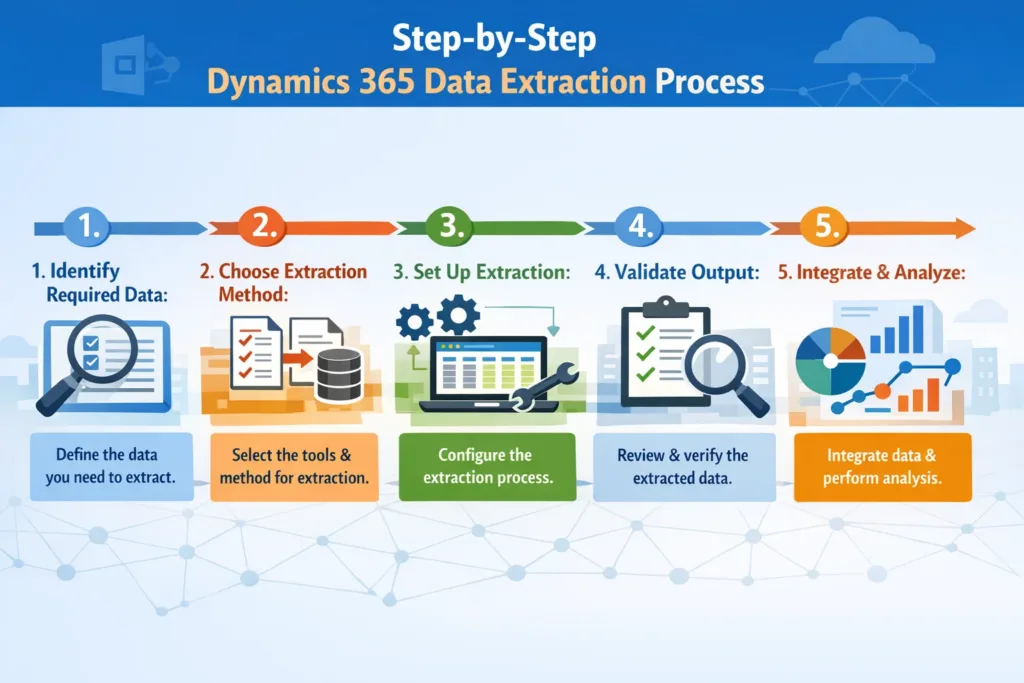
- Identify Required Data: List entities, fields, and filters.
- Choose Extraction Method: Excel export, API, or ETL tools.
- Set Up Extraction: Configure queries, scripts, or ETL pipelines.
- Validate Output: Check data for accuracy and completeness.
- Integrate & Analyze: Load data into reporting tools or dashboards.
Key Tips for SEO-Friendly Data Reporting
- Use clear labels for extracted fields to improve understanding.
- Include timestamps for tracking historical data.
- Regularly archive data to optimize system performance.
- Leverage BI tools like Power BI for actionable visualization.
Read more : Implementing a Clauses Library for Rich-Text Document Assembly in Dynamics 365
FAQ’s
Yes, but for large datasets, it’s recommended to use API or ETL tools to avoid performance issues.
When done correctly with encryption and permissions, extraction can be highly secure.
It depends on your business needs. Daily or real-time extractions are common for analytics.
Absolutely! Our team develops tailored scripts to meet your exact CRM needs.
Conclusion
Efficient Dynamics 365 data extraction empowers businesses to make informed decisions, improve reporting, and unlock new insights. By following best practices and leveraging the right tools, you can streamline your CRM data workflows effortlessly.
Partnering with Sky Soft Connections ensures professional, accurate, and scalable solutions for all your Dynamics 365 data needs.
Unlock your CRM’s full potential today — extract, analyze, and transform your data into decisions with Sky Soft Connections.
 is a software solution company that was established in 2016. Our quality services begin with experience and end with dedication. Our directors have more than 15 years of IT experience to handle various projects successfully. Our dedicated teams are available to help our clients streamline their business processes, enhance their customer support, automate their day-to-day tasks, and provide software solutions tailored to their specific needs. We are experts in Dynamics 365 and Power Platform services, whether you need Dynamics 365 implementation, customization, integration, data migration, training, or ongoing support.