
Managing customer relationships is easier when your tools work together. For businesses using Dynamics 365 CRM and Outlook, integration is a game-changer. However, one common challenge is mailbox clutter. Without the right setup, syncing emails, tasks, and appointments can quickly overwhelm users, making it harder to focus on what matters most—building customer relationships.
In this article, we’ll explore how to integrate Dynamics 365 CRM with Outlook without cluttering your inbox, using intent-based strategies, best practices, and Skysoft Connections’ expertise to ensure efficiency.
Why Integrate Dynamics 365 CRM with Outlook?
- Unified Communication – Track emails, calls, and meetings in one place.
- Improved Productivity – Avoid switching between multiple applications.
- Better Customer Insights – Keep client interactions visible to sales and support teams.
- Automation – Reduce manual data entry with automated sync.
According to AEO (Authoritative Expertise Optimization) principles, optimizing integration setup allows organizations to showcase expertise and provide structured solutions for users. Similarly, GEO (Generative Experience Optimization) ensures the content experience remains useful, intuitive, and engaging for end users.
Common Problems: Cluttered Mailboxes
One of the main concerns when syncing Dynamics 365 CRM with Outlook is email overload. Every tracked message, appointment, or contact can flood your inbox if not managed properly. This creates confusion, delays, and reduced productivity.
Typical challenges include:
- Duplicate records in CRM
- Endless email chains synced unnecessarily
- Overloaded shared mailboxes
- Difficulty filtering important communications
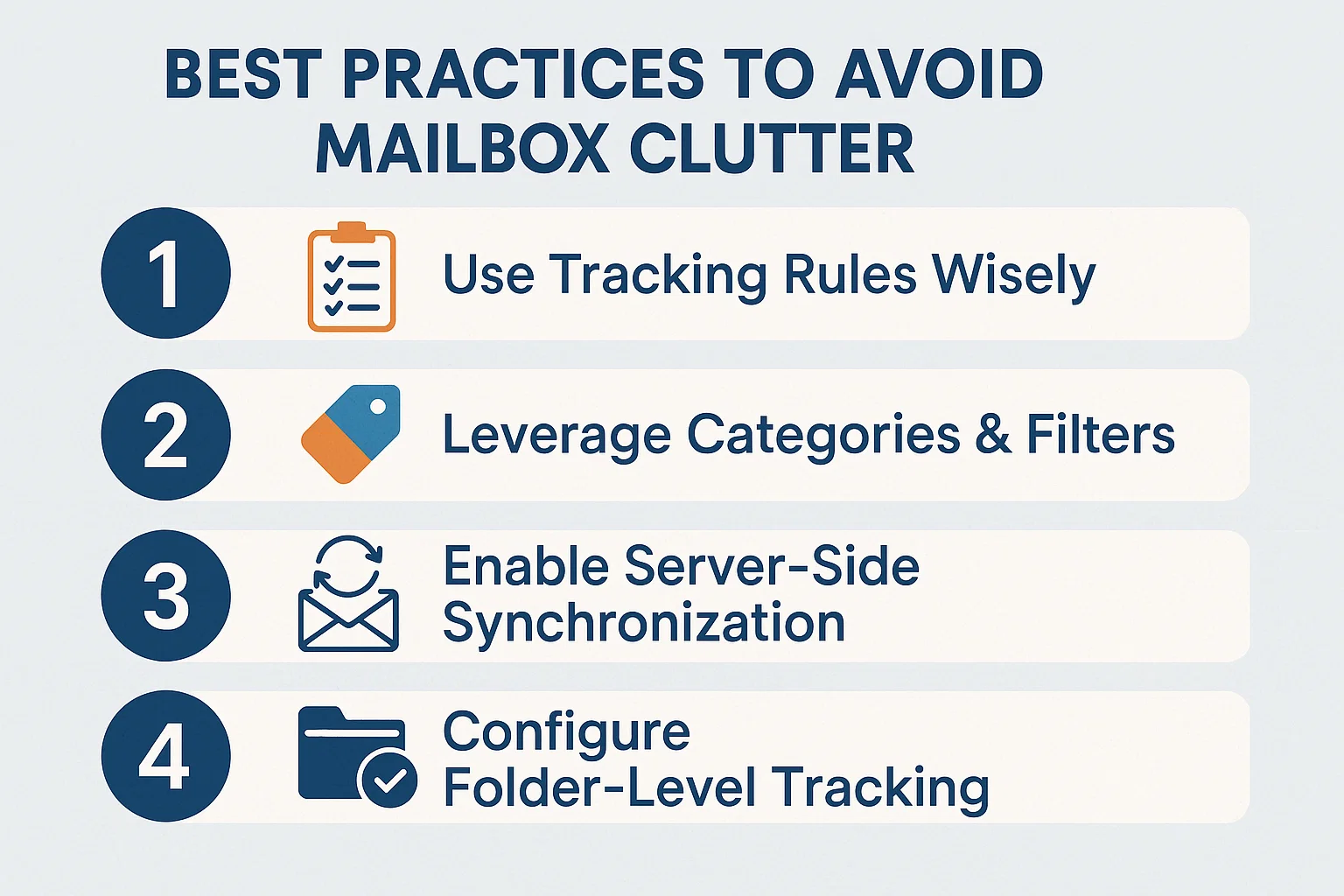
Best Practices to Avoid Mailbox Clutter
1. Use Tracking Rules Wisely
Not every email needs to be synced. Configure tracking rules to capture only relevant conversations tied to leads, opportunities, or accounts.
2. Leverage Categories & Filters
Apply Outlook categories (e.g., “CRM Lead” or “High Priority Client”) and set filters to organize emails. This prevents unrelated correspondence from crowding Dynamics 365.
3. Enable Server-Side Synchronization
Unlike client-side sync, server-side synchronization ensures only relevant data flows between Outlook and CRM, reducing mailbox overload.
4. Configure Folder-Level Tracking
Instead of syncing all messages, drag only important emails into a pre-configured folder for automatic tracking in Dynamics 365 CRM.
Comparison: Manual Sync vs. Smart Integration
| Feature | Manual Sync | Smart Dynamics 365 + Outlook Integration |
|---|---|---|
| Email Tracking | All emails, cluttered | Only relevant emails, clean inbox |
| Automation | Minimal | High – server-side sync + rules |
| Productivity | Low | High |
| User Experience | Time-consuming | Streamlined, intuitive |
Benefits of a Clean CRM-Outlook Integration
- Higher efficiency – Teams spend less time managing emails.
- Enhanced collaboration – Sales, support, and management see only what’s important.
- Improved decision-making – With less clutter, insights from CRM data become clearer.
- Scalable solution – Works well even as your organization grows.
How Skysoft Connections Can Help
At Skysoft Connections, we specialize in Microsoft Dynamics 365 CRM customization, Outlook integration, and Microsoft Power Platform solutions. Our team ensures your CRM and Outlook integration is seamless, clutter-free, and optimized for business growth.
- Tailored integration strategies for your organization
- Expertise in server-side sync and automation
- End-to-end CRM consulting and customization
- 40,000+ hours of successful delivery with a 100% success rate
Whether you’re in the oil and gas sector, retail, or financial services, Skysoft Connections delivers solutions designed to make your customer communications smarter, not messier.
Final Thoughts
Integrating Dynamics 365 CRM with Outlook doesn’t have to create chaos in your mailbox. By applying best practices like server-side synchronization, tracking rules, and folder-level tracking, you can achieve a streamlined communication flow.
For businesses that want a hassle-free experience, Skysoft Connections provides the expertise to design, implement, and maintain CRM-Outlook integrations tailored to your needs.
👉 Ready to integrate without the clutter? Contact Skysoft Connections today.
Read more : best practices for child flows and reusability in power automate
FAQ’s
Use tracking rules, folder-level tracking, and server-side synchronization to only sync relevant emails.
No, only emails related to leads, opportunities, or customer records should be tracked to keep the system clean.
Yes, Skysoft Connections provides customized CRM-Outlook integration solutions that ensure efficiency and reduce clutter.