
Introduction
In today’s data-driven world, businesses rely on accurate information to make smarter decisions. However, duplicate records in your Dynamics 365 CRM can lead to confusion, wasted time, and poor customer experiences. Fortunately, Duplicate Detection Rules in Dynamics 365 help you maintain clean and reliable data.
In this practical guide, we’ll explain how duplicate detection works, why it matters, and how Sky Soft Connections can assist your business in setting up smarter CRM data management solutions.
Why Duplicate Detection Matters in Dynamics 365
Duplicate data isn’t just a minor inconvenience—it has a direct impact on business operations.
Common Challenges Caused by Duplicate Records
- Wasted Sales Efforts: Teams may contact the same lead multiple times.
- Customer Confusion: Clients receive duplicate emails or calls.
- Inaccurate Reports: Analytics and forecasting lose reliability.
- Lower Productivity: Staff spend time fixing errors instead of working on priorities.
When organizations use duplicate detection rules, they prevent these problems before they even start.
How Duplicate Detection Rules Work in Dynamics 365
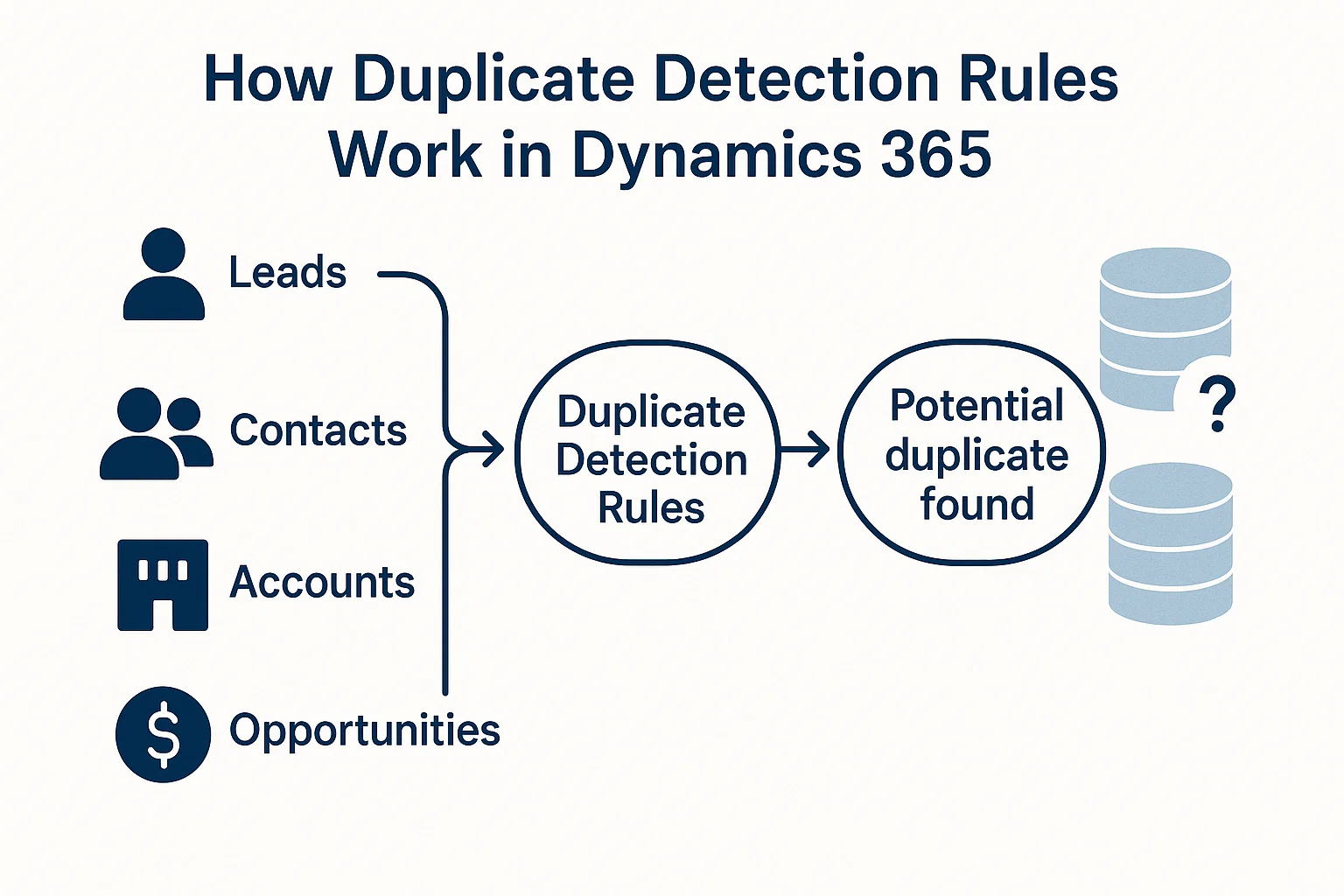
Dynamics 365 allows you to configure rules that identify and flag records with similar or identical data. These rules can be applied to:
- Leads
- Contacts
- Accounts
- Opportunities
Key Features of Duplicate Detection
| Feature | Benefit | Example |
|---|---|---|
| Configurable Rules | Tailor rules to match your business needs | Detect duplicates based on email + phone number |
| Real-Time Alerts | Get notified before saving duplicates | User tries to add “John Smith” with same email |
| Batch Detection | Run bulk checks on existing records | Monthly cleanup of entire database |
| Customizable Conditions | Use multiple fields for comparison | Name + Company + Phone |
Best Practices for Setting Up Duplicate Detection Rules
Implementing duplicate detection correctly is crucial for accuracy.
Step-by-Step Approach
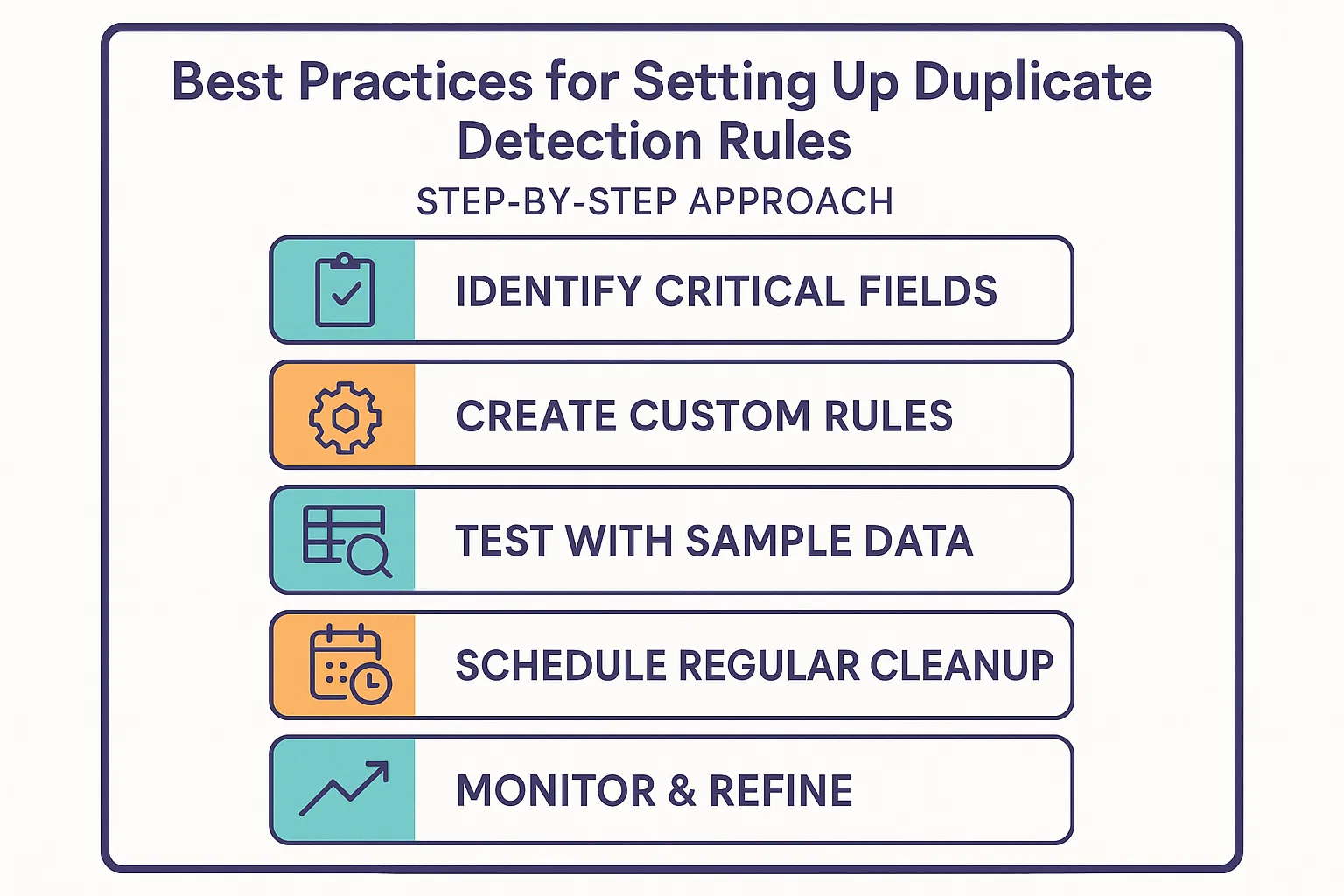
- Identify Critical Fields
Decide which fields (e.g., email, phone number, company) should trigger duplicate alerts. - Create Custom Rules
Use Dynamics 365’s rule editor to configure detection logic. - Test with Sample Data
Run tests to avoid unnecessary false positives. - Schedule Regular Cleanup
Use batch detection to find and merge duplicates at regular intervals. - Monitor & Refine
Adjust rules based on real-world use cases and user feedback.
Common Mistakes to Avoid
Even with good intentions, businesses often misconfigure detection rules.
- Setting rules that are too broad, leading to unnecessary alerts.
- Overlooking custom entities that also require duplicate detection.
- Failing to merge duplicates after detection, leaving data cluttered.
- Ignoring regular audits, which causes the problem to resurface.
Read more : data hygiene de duplication and clean up best practices in crm
How Sky Soft Connections Helps You
At Sky Soft Connections, we specialize in optimizing Dynamics 365 environments. Our team ensures that your CRM runs smoothly by:
- Configuring custom duplicate detection rules based on your business process.
- Automating data cleanup with advanced workflows.
- Providing integration support to maintain clean data across all platforms.
- Offering training and documentation for your team to manage data effectively.
With over 40,000+ project hours completed and a 100% success rate on Upwork, we bring expertise and trust to every CRM project.
Conclusion
Clean data is the foundation of smart decision-making. By leveraging Duplicate Detection Rules in Dynamics 365, businesses can eliminate redundancies, improve customer relationships, and ensure accurate reporting.
Partnering with Sky Soft Connections gives you the advantage of expert CRM setup, tailored solutions, and long-term data reliability.
Remember: Better data leads to better decisions—and better decisions drive growth.
Read more : mastering dynamics 365 bpfs customization guide
FAQ’s
Yes. You can configure real-time detection and also schedule batch detections.
Absolutely. You can set up rules based on both system and custom fields.
We recommend running it monthly, but the frequency depends on the volume of new records.