Table of Content
- What Is Data Management Framework (DMF) in Dynamics 365 F&O?
- Why Data Management Is Critical in Dynamics 365 Finance & Operations
- Key Components of Data Management Framework
- Common Use Cases of DMF in D365 Finance & Operations
- DMF Import vs Export: A Quick Comparison
- Step-by-Step: How DMF Works in Practice
- Best Practices for Using Data Management Framework
- Common Challenges in DMF and How to Overcome Them
- How Skysoft Connections Helps with DMF in Dynamics 365 F&O
- When Should You Engage DMF Experts?
- Final Thoughts: Unlock the Power of DMF in Dynamics 365 F&O
- FAQ’s
Data is the backbone of every successful ERP implementation. In Microsoft Dynamics 365 Finance & Operations (D365 F&O), managing large volumes of business data accurately and efficiently is critical. This is where the Data Management Framework (DMF) plays a vital role.
In this practical guide, you’ll learn what DMF is, how it works, key use cases, best practices, and how businesses can leverage expert services from Skysoft Connections to streamline data migration, integration, and ongoing data management.
What Is Data Management Framework (DMF) in Dynamics 365 F&O?
The Data Management Framework (DMF) in Dynamics 365 Finance & Operations is a powerful tool that enables organizations to:
- Import data into D365 F&O
- Export data from the system
- Integrate data with external applications
- Manage data during system upgrades or implementations
In other words, DMF ensures data consistency, accuracy, and compliance across your ERP ecosystem.
Why Data Management Is Critical in Dynamics 365 Finance & Operations
Without a structured data management approach, organizations often face challenges such as data duplication, migration failures, and reporting inaccuracies. Therefore, DMF becomes essential for:
- ERP implementations and go-lives
- System upgrades and re-implementations
- Ongoing master and transactional data updates
- Regulatory compliance and audits
As a result, businesses that invest in a well-planned DMF strategy experience smoother operations and faster decision-making.
Key Components of Data Management Framework
Understanding the core components of DMF helps users leverage its full potential.
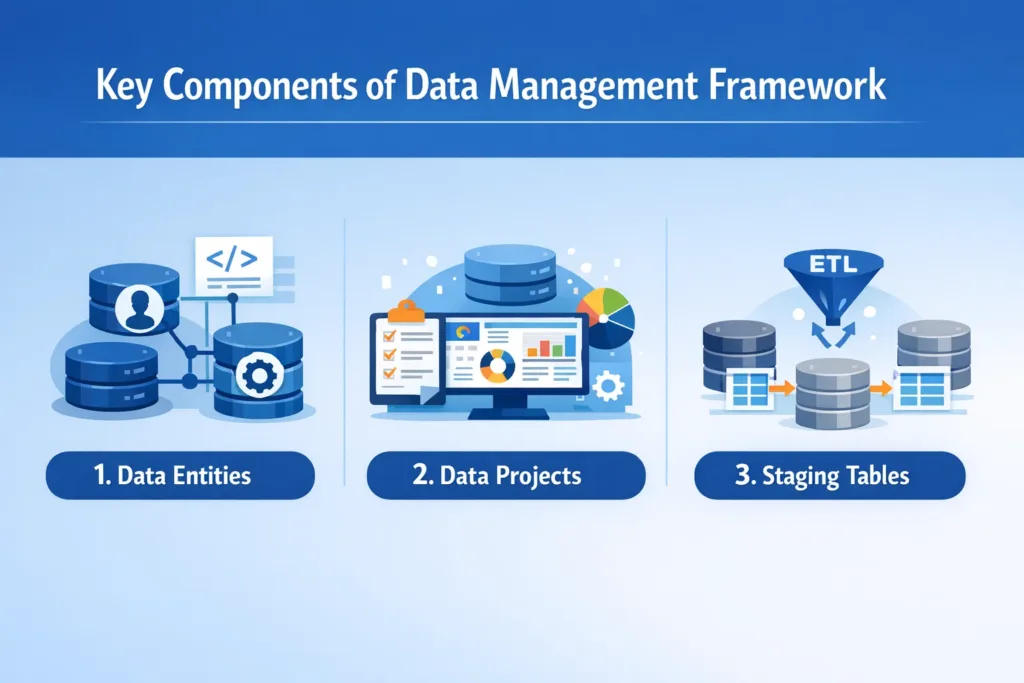
1. Data Entities
Data entities act as an abstraction layer between tables and business processes. They simplify data movement while maintaining business logic.
Benefits of data entities:
- Simplified data structure
- Built-in validations
- Support for automation
2. Data Projects
A data project defines the scope of data movement. It includes:
- Import projects
- Export projects
- Recurring data jobs
3. Staging Tables
Staging tables temporarily hold data before it is validated and pushed into the system. This step ensures data accuracy and error handling.
Common Use Cases of DMF in D365 Finance & Operations
DMF is widely used across multiple business scenarios. Below are some of the most common use cases:
- Initial data migration during ERP implementation
- Periodic master data updates (vendors, customers, products)
- Transactional data imports (GL balances, inventory, open AR/AP)
- Integration with third-party systems
- Regulatory and audit data exports
DMF Import vs Export: A Quick Comparison
| Feature | Data Import | Data Export |
|---|---|---|
| Purpose | Load data into D365 F&O | Extract data from D365 F&O |
| Use Case | Migration, updates, integrations | Reporting, compliance, backups |
| Supports Recurrence | Yes | Yes |
| Formats Supported | Excel, CSV, XML, ZIP | Excel, CSV, ZIP |
Step-by-Step: How DMF Works in Practice
Here’s a simplified workflow to understand DMF execution:
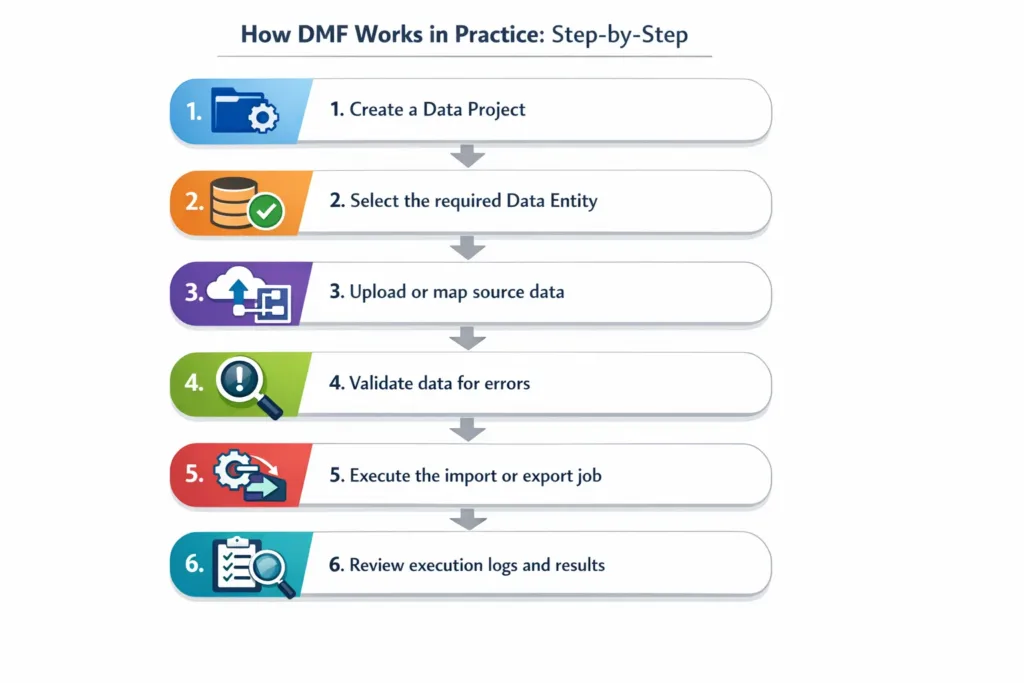
- Create a Data Project
- Select the required Data Entity
- Upload or map source data
- Validate data for errors
- Execute the import or export job
- Review execution logs and results
Consequently, this structured approach minimizes data risks and improves system reliability.
Best Practices for Using Data Management Framework
To maximize performance and reduce errors, consider these DMF best practices:
- Always validate data before execution
- Use standard data entities whenever possible
- Break large data sets into smaller batches
- Monitor execution logs regularly
- Secure data projects with role-based access
- Test data imports in sandbox environments first
Moreover, following these practices ensures better scalability and long-term system stability.
Common Challenges in DMF and How to Overcome Them
Despite its robustness, DMF can present challenges if not handled properly.
Typical Challenges
- Entity mapping errors
- Data validation failures
- Performance issues with large datasets
- Integration inconsistencies
Recommended Solutions
- Proper data cleansing before migration
- Using correct legal entity context
- Optimizing batch processing
- Leveraging expert Dynamics 365 consultants
How Skysoft Connections Helps with DMF in Dynamics 365 F&O
At Skysoft Connections, we specialize in Dynamics 365 Finance & Operations data management, migration, and integration services. Our team ensures that DMF is configured correctly and aligned with your business processes.
Our DMF-Focused Services Include:
- End-to-end data migration strategy
- Custom and standard data entity configuration
- DMF automation and recurring data jobs
- Third-party system integrations
- Data validation, reconciliation, and optimization
As a result, businesses benefit from reduced risk, faster go-live, and long-term data integrity.
When Should You Engage DMF Experts?
You should consider professional DMF support when:
- Implementing Dynamics 365 F&O for the first time
- Migrating from legacy ERP systems
- Integrating multiple business systems
- Handling complex, high-volume datasets
Skysoft Connections ensures your data moves accurately, securely, and efficiently.
Final Thoughts: Unlock the Power of DMF in Dynamics 365 F&O
The Data Management Framework in Microsoft Dynamics 365 Finance & Operations is more than just a data tool—it is a strategic enabler for ERP success. When implemented correctly, DMF improves operational efficiency, data accuracy, and decision-making.
However, to fully leverage its capabilities, businesses must combine best practices, technical expertise, and a structured approach. Partnering with experts like Skysoft Connections ensures your data foundation remains strong, scalable, and future-ready.
Read more: dynamics 365 licensing mistakes companies must avoid
FAQ’s
The Data Management Framework (DMF) is a built-in tool in Dynamics 365 Finance & Operations that allows businesses to import, export, and integrate data securely using standardized data entities.
DMF supports master data, transactional data, and configuration data, including customers, vendors, products, chart of accounts, inventory, and financial transactions.
Yes, DMF supports recurring data jobs, making it ideal for automated integrations between Dynamics 365 F&O and third-party systems.
DMF involves complex data entities, validations, and mappings. Working with Dynamics 365 experts like Skysoft Connections ensures accurate data migration, reduced risks, and faster ERP adoption.
 is a software solution company that was established in 2016. Our quality services begin with experience and end with dedication. Our directors have more than 15 years of IT experience to handle various projects successfully. Our dedicated teams are available to help our clients streamline their business processes, enhance their customer support, automate their day-to-day tasks, and provide software solutions tailored to their specific needs. We are experts in Dynamics 365 and Power Platform services, whether you need Dynamics 365 implementation, customization, integration, data migration, training, or ongoing support.