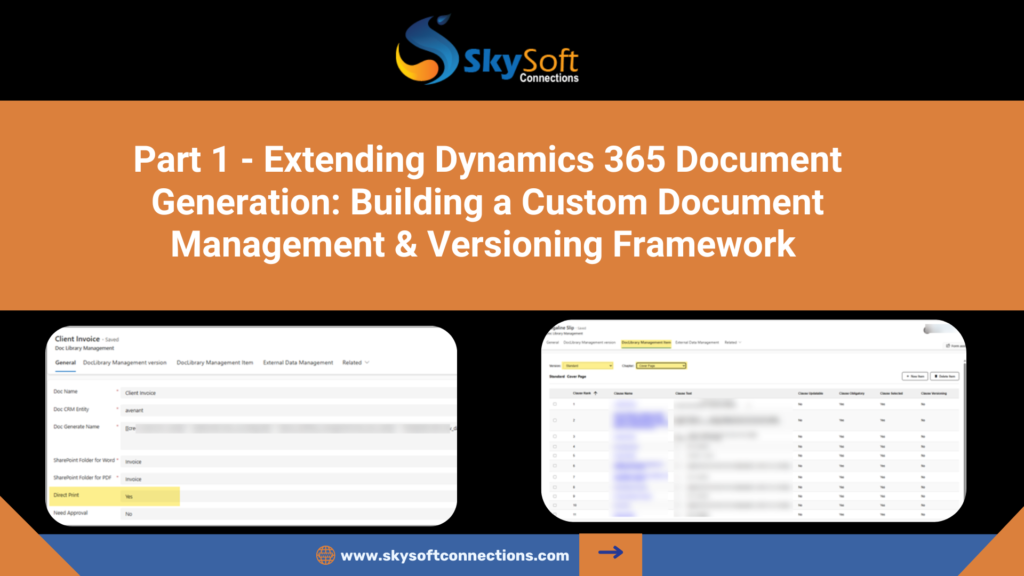
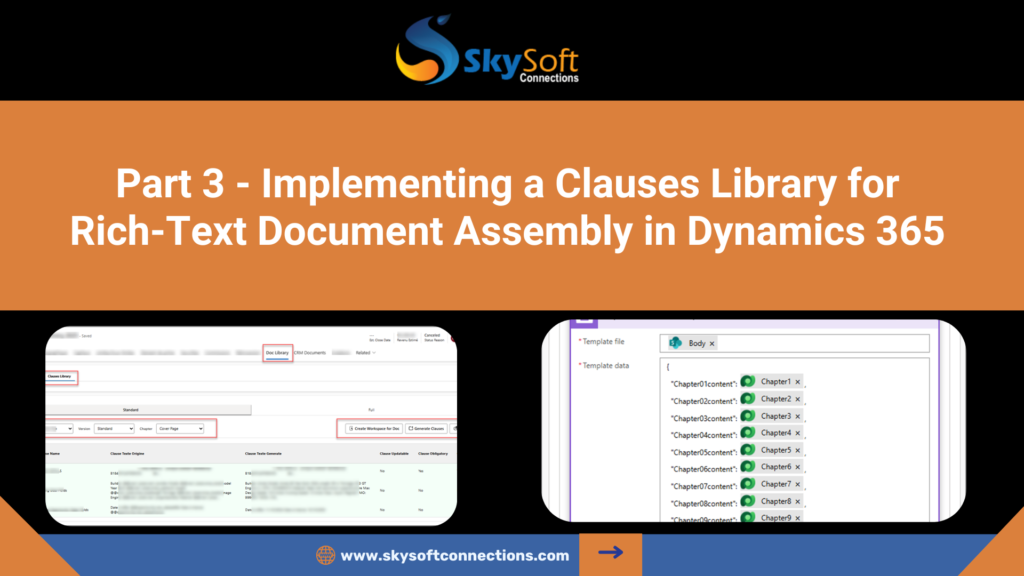
From managed templates to entity-specific document generation
This diagram provides a high-level view of the system components and data flow involved in the custom document generation framework.
Introduction
Recap of Part 1
In Part 1, we explored the Document Library Management framework, covering the administrative aspects of document governance. This included creating and managing documents, defining chapters, maintaining multiple versions, and standardizing placeholders for consistent template management.
Transition from Document Management to Document Consumption
While Part 1 focused on managing templates, the next step is enabling business users to generate actual documents tied to specific entity records. This requires a framework that transforms managed templates into entity-specific, print-ready documents while maintaining control and compliance.
Why a Custom Document Library Was Required
Out-of-the-box document generation in Dynamics 365 provides limited support for previewing, approval workflows, and automated printing. A custom Document Library allows for full lifecycle management, including preview, approval, PDF generation, and SharePoint integration, while supporting entity-specific data binding and governance.
Document Library Architecture
The architecture consists of two major areas:
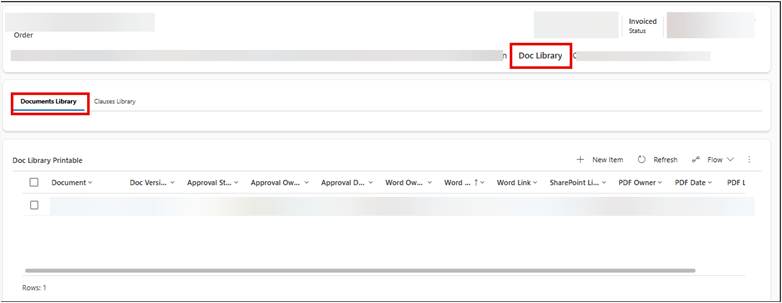
Printable Entity
Stores generated, print-ready documents linked to specific business entities. It acts as the central repository for all documents that require preview, approval, and printing.
Approval & Printing Pipeline
Provides a standardized workflow for document validation, approval, and automated printing. This ensures governance and consistent handling across all generated documents.
Printable Entity Design
Purpose of the Printable Entity
The Printable entity holds instances of generated documents, capturing both the content and metadata required for approval, versioning, and print management.
Key Lookups
- Document – References the managed template used
- Version – Identifies the template version applied
- Related Business Entity – Links the document to a specific record (e.g., Opportunity, Quote, or Order)
Printable YES Filtering Logic
The system distinguishes between templates and printable instances. Only documents marked as Printable = Yes are available for standard entity-specific generation, ensuring the correct workflow is applied.
Smart Lookup Filtering
Filtering Documents and Versions Dynamically
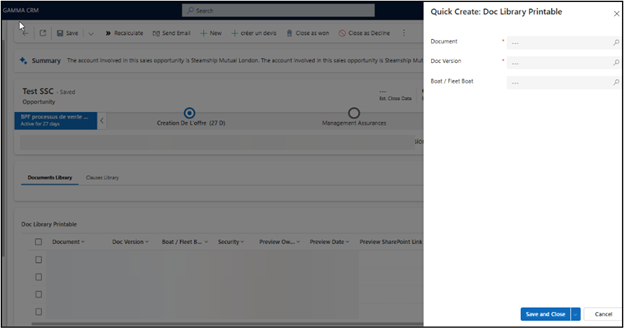
Dropdowns for Document and Version are dynamically filtered to show only valid combinations for the selected entity, preventing invalid selections.
Ensuring Only Valid Combinations Are Selectable
This maintains data integrity and reduces errors, ensuring that users cannot generate documents with mismatched templates or versions.
UX and Data Consistency Benefits
Dynamic filtering improves usability, reduces training requirements, and guarantees consistent document generation results across users and departments.
Document Preview Capability
Preview Before Approval
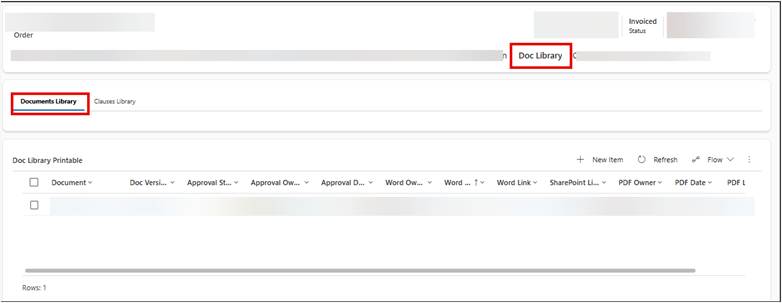
Users can preview generated documents before approval, ensuring accuracy and completeness.
Technical Approach (High Level)
Generated content is rendered in a temporary preview view, replacing placeholders with live entity data while preserving template formatting.
Why Preview is Critical for Governance
Preview allows business users to catch errors, validate content, and ensure compliance with corporate or legal standards before the document enters the approval or printing workflow.
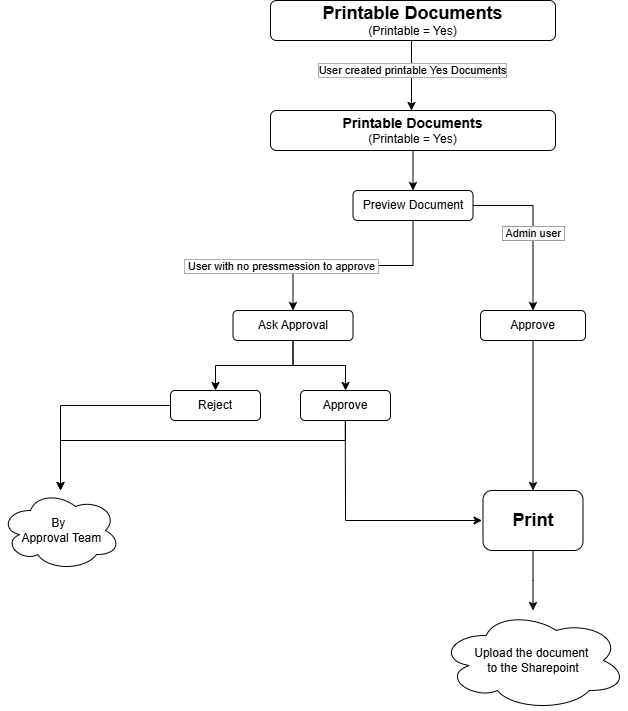
Approval Workflow Design
Approval Scenarios
- User Without Approval Rights – Can request approval from authorized users
- User With Approval Rights – Can directly approve documents for printing
Approval Actions
- Ask for Approval – Initiates workflow, notifying the relevant approver
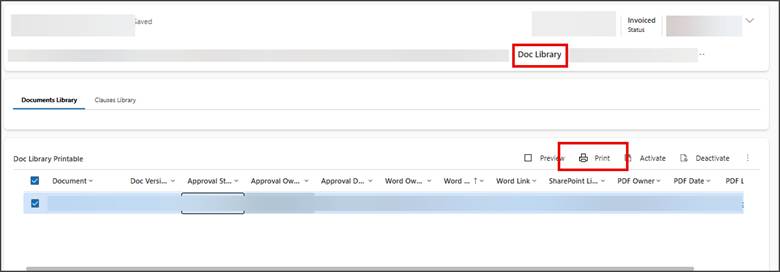
- Approve – Confirms content, triggering automated print and PDF generation
Automated Print & PDF Generation
Placeholder Replacement Strategy
Placeholders within templates (e.g., @@entityname.fieldname@@) are replaced dynamically with entity-specific data, ensuring accurate content in generated documents.
Power Automate + Custom Actions
Flows automate the generation, conversion, and routing of documents, integrating with Dynamics 365 and SharePoint.
Word Generation → PDF Conversion
Templates are merged with data and converted into PDF format, maintaining formatting fidelity and compliance standards.
SharePoint Upload Strategy
Final PDFs are automatically uploaded to SharePoint, providing secure storage, versioning, and easy access for users.
End-to-End Flow Summary
From record creation to final PDF output, the custom Document Library enables a seamless, governed lifecycle:
- Template selection and entity binding
- Document generation with placeholder replacement
- Preview for validation
- Approval workflow execution
- Automated PDF conversion and SharePoint upload
Conclusion
The custom Document Library transforms managed templates into enterprise-grade, entity-specific documents in Dynamics 365. It enforces governance through preview, approval, and automated printing, ensuring consistent and compliant document output across the organization.
What’s Next
In Part 3, we will deep-dive into the Clauses Library, enabling modular, rich-text document composition with dynamic placeholder replacement and third-party integration for advanced document generation scenarios.
FAQ’s
Out-of-the-box D365 lacks strong preview, approval, and automated printing features, which are critical for governance and compliance.
It stores generated, entity-specific documents along with metadata for versioning, approval, and printing.
Yes, users can preview documents with live entity data before they move into approval or printing workflows.
Approved documents are automatically converted to PDF and uploaded to SharePoint for secure storage and access.
 is a software solution company that was established in 2016. Our quality services begin with experience and end with dedication. Our directors have more than 15 years of IT experience to handle various projects successfully. Our dedicated teams are available to help our clients streamline their business processes, enhance their customer support, automate their day-to-day tasks, and provide software solutions tailored to their specific needs. We are experts in Dynamics 365 and Power Platform services, whether you need Dynamics 365 implementation, customization, integration, data migration, training, or ongoing support.