Table of Content
Modern businesses rely heavily on Microsoft Power Apps and Dynamics 365 to automate workflows, manage customer data, and streamline daily operations. However, as organizations scale, data governance becomes increasingly complex. Although OData endpoints are helpful, they often lack the advanced control and flexibility required for secure, enterprise-grade integrations.
This is where Custom API Gateways step in — offering deeper governance, enhanced security, and complete visibility into how data flows from Power Apps to Dynamics 365.
In this article, you’ll learn why going beyond OData matters, how Custom API Gateways enhance control, and how Skysoft Connections helps companies build secure, scalable, and compliant data integration frameworks.
Why OData Alone Isn’t Enough
OData is widely used for integrating Power Apps and Dynamics 365. However, enterprises often face challenges that OData cannot fully solve.
For instance, organizations need:
- More granular control over who can access which entity
- Advanced validation before data reaches Dynamics 365
- Traffic monitoring for compliance and audit requirements
- Faster performance for high-volume requests
Although OData provides a standard approach, it does not always meet real-world enterprise-level security and governance needs.
What Custom API Gateways Bring to the Table
Custom API Gateways act as a secure middleware layer, allowing organizations to validate, filter, and govern every request landing in Dynamics 365.
Moreover, they introduce a strong framework for centralized control.
Key Advantages of Implementing a Custom API Gateway
- Fine-Grained Access Control
Restrict or allow access to specific tables, columns, or actions. - Advanced Validation Rules
Validate incoming data before it reaches Dynamics 365. - Traffic Throttling & Rate Limiting
Prevent overload situations and improve system reliability. - Unified Logging & Monitoring
Track every request with complete visibility and audit readiness. - Custom Transformations
Modify data on the fly to match your business rules.
Comparing OData vs Custom API Gateways
Below is a quick comparison to help visualize the differences:
| Feature / Requirement | OData (Default) | Custom API Gateway |
|---|---|---|
| Granular access control | Limited | Highly configurable |
| Security filtering | Basic | Advanced |
| Request validation | Minimal | Full validation |
| Custom workflows | Not supported | Fully supported |
| Traffic control | No | Yes |
| Logging & audit trails | Basic | Enterprise-grade |
As you can see, moving beyond OData is not just beneficial — it is essential for growing enterprises.
How Custom API Gateways Work with Power Apps and Dynamics 365
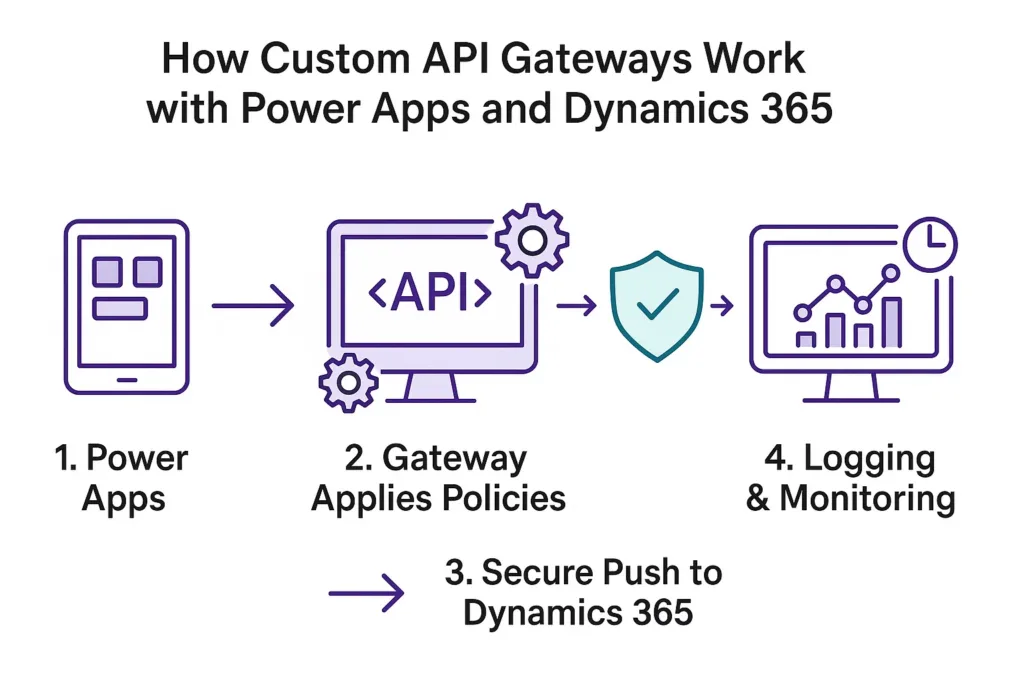
1. Power Apps → API Gateway → Dynamics 365
Instead of calling OData directly, Power Apps sends data to the gateway first.
2. Gateway Applies Policies
This includes validation, authentication, transformations, and custom business rules.
3. Secure Push to Dynamics 365
Only approved and clean data reaches Dynamics 365, improving accuracy and governance.
4. Logging & Monitoring
All requests are logged for compliance, audits, and troubleshooting.
This approach ensures a secure, optimized, and governed integration between your applications.
Use Cases Where Custom API Gateways Outperform OData
Even though OData works for simple needs, many real-world scenarios demand more:
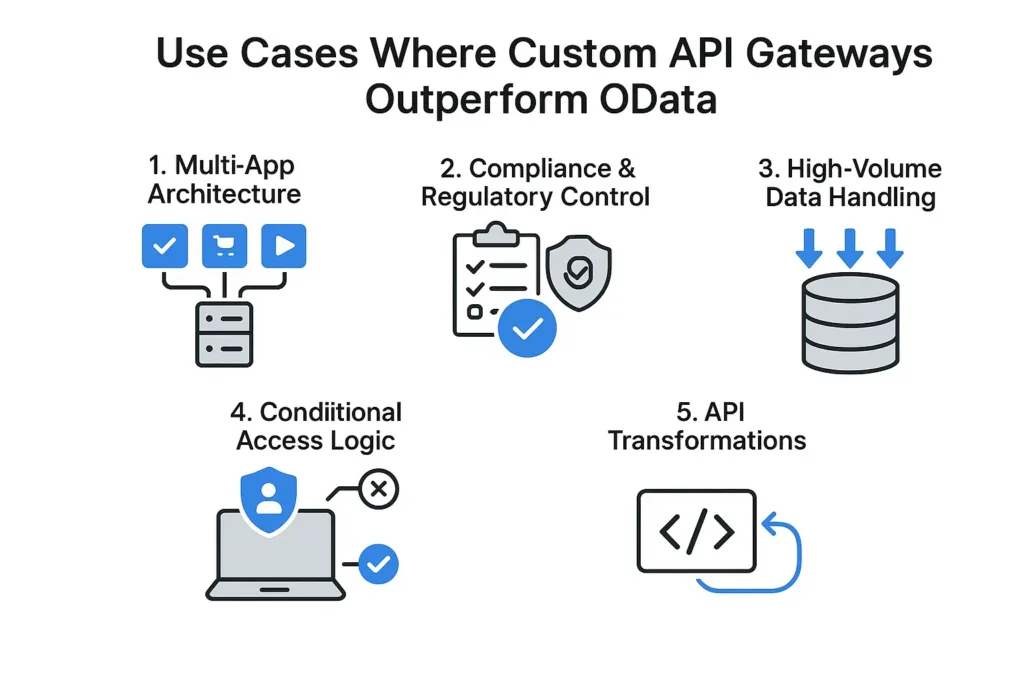
1. Multi-App Architecture
Large organizations often use multiple Power Apps consuming the same Dynamics 365 instance.
A Custom Gateway ensures that each app gets access only to the data it genuinely needs.
2. Compliance & Regulatory Control
Industries like oil & gas, finance, and healthcare require strict governance, which OData alone cannot guarantee.
3. High-Volume Data Handling
When data volumes spike, OData calls can fail.
Gateways help with throttling and performance balancing.
4. Conditional Access Logic
You can implement rules like:
If a record does not meet criteria A, reject it or redirect it to workflow X.
5. API Transformations
Transform request formats, enrich data, or mask sensitive fields before storing them.
Step-by-Step: Designing a Custom API Gateway Strategy
To implement a governance-ready API layer, organizations should follow a structured approach:
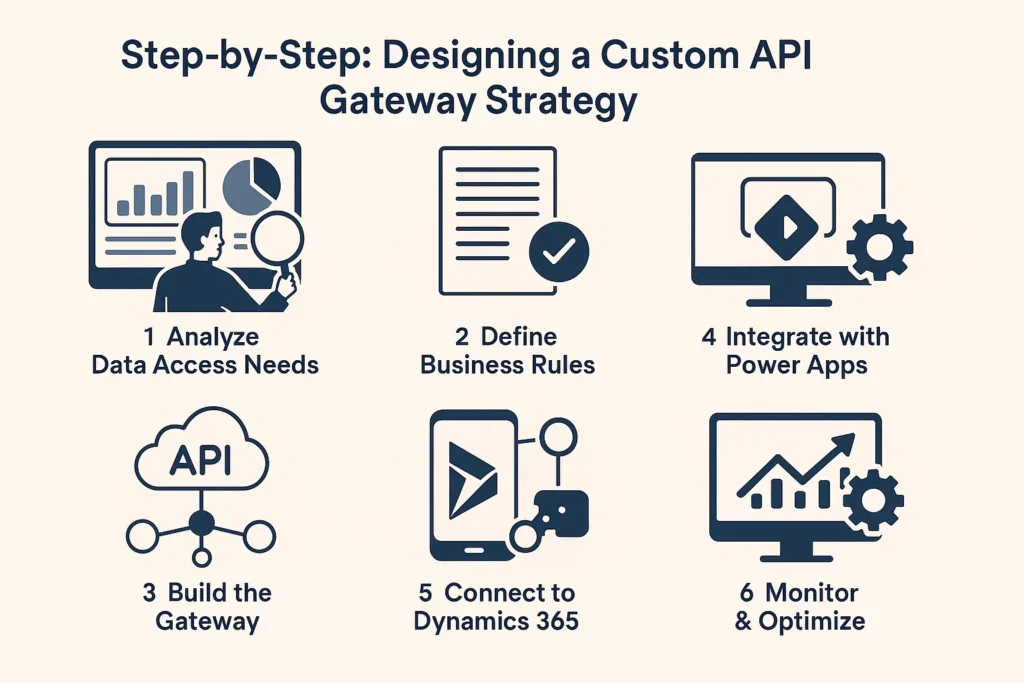
Step 1 – Analyze Data Access Needs
Identify which apps need which tables, entities, or user roles.
Step 2 – Define Business Rules
Prepare validation rules, role-based restrictions, and transformation logic.
Step 3 – Build the Gateway
Use technologies such as:
- Azure API Management
- Azure Functions
- Power Automate Custom Connectors
Step 4 – Integrate with Power Apps
Connect Power Apps to the gateway using secure API keys or OAuth.
Step 5 – Connect to Dynamics 365
Push validated data into Dynamics 365 using Microsoft Dataverse APIs.
Step 6 – Monitor & Optimize
Continuously track logs, performance, and usage metrics.
Why Enterprises Choose Skysoft Connections for API Governance
Skysoft Connections specializes in Microsoft Dynamics 365, Power Platform, and API-driven architecture.
Most importantly, the company has delivered 40,000+ hours of successful Microsoft-based integrations, earning a Top Rated Plus badge on Upwork.
Skysoft Connections Helps You With:
- Building Custom API Gateways
- Developing secure connectors between Power Apps and Dynamics 365
- Implementing data governance and audit systems
- Designing Power Platform + API integration strategies
- Optimizing existing OData-based solutions
- Migration, customization, and advanced architecture consulting
With Skysoft Connections, companies get a complete, future-proof integration layer built on best practices.
Conclusion: The Future Is Controlled, Secure, and Beyond OData
As organizations scale, they require far more than standard OData endpoints.
A Custom API Gateway adds the much-needed governance, control, and security layer — ensuring accurate, compliant, and optimized data flow across Power Apps and Dynamics 365.
By implementing a gateway approach early on, businesses protect their data, improve performance, and future-proof their Microsoft ecosystem.
Skysoft Connections is ready to help companies evolve beyond traditional integrations and build smarter, governed, and secure architectures.
Read more : Achieving ROI with Microsoft’s Business Application
FAQ’s
A Custom API Gateway provides stronger security, granular access control, data validation, and advanced monitoring—capabilities that OData alone cannot offer for enterprise-scale applications.
It acts as a secure middleware layer that validates data, enforces business rules, manages traffic, and ensures only clean, approved requests reach Dynamics 365.
Yes. Skysoft Connections builds secure, scalable API Gateway architectures and integrates them seamlessly with Power Apps and Dynamics 365 for better governance and compliance.
 is a software solution company that was established in 2016. Our quality services begin with experience and end with dedication. Our directors have more than 15 years of IT experience to handle various projects successfully. Our dedicated teams are available to help our clients streamline their business processes, enhance their customer support, automate their day-to-day tasks, and provide software solutions tailored to their specific needs. We are experts in Dynamics 365 and Power Platform services, whether you need Dynamics 365 implementation, customization, integration, data migration, training, or ongoing support.