Table of Content
- How AI is Transforming Microsoft Dynamics 365: The Future of Intelligent CRM
- Summary:
- The fundamental AI features now available in Dynamics 365
- Effective and practical methods for transforming CRM workflows
- Where AI provides the most significant improvements in user experience
- How Microsoft ties the pieces together (technical & product glue)
- Practical benefits & measurable outcomes organizations see
- Risks, limitations, and governance that require your planning
- Implementation playbook — how to adopt responsibly
- Conclusion
- FAQ’s
How AI is Transforming Microsoft Dynamics 365 (Explore the impact of AI on customer relationship management and how Dynamics 365 is leveraging AI to enhance user experience.)
How AI is Transforming Microsoft Dynamics 365: The Future of Intelligent CRM
Summary:
Artificial Intelligence (AI) is transforming Microsoft Dynamics 365 from a traditional records-and-workflow CRM into a smart, proactive, and conversational platform that enables businesses to forecast results, tailor experiences, automate repetitive tasks, and support agents/sellers in real time. These advancements are driven by integrated machine learning models (predictive scoring and forecasting), generative AI assistants (Copilot), and low-code AI tools within the Power Platform (AI Builder, Customer Insights).
The fundamental AI features now available in Dynamics 365
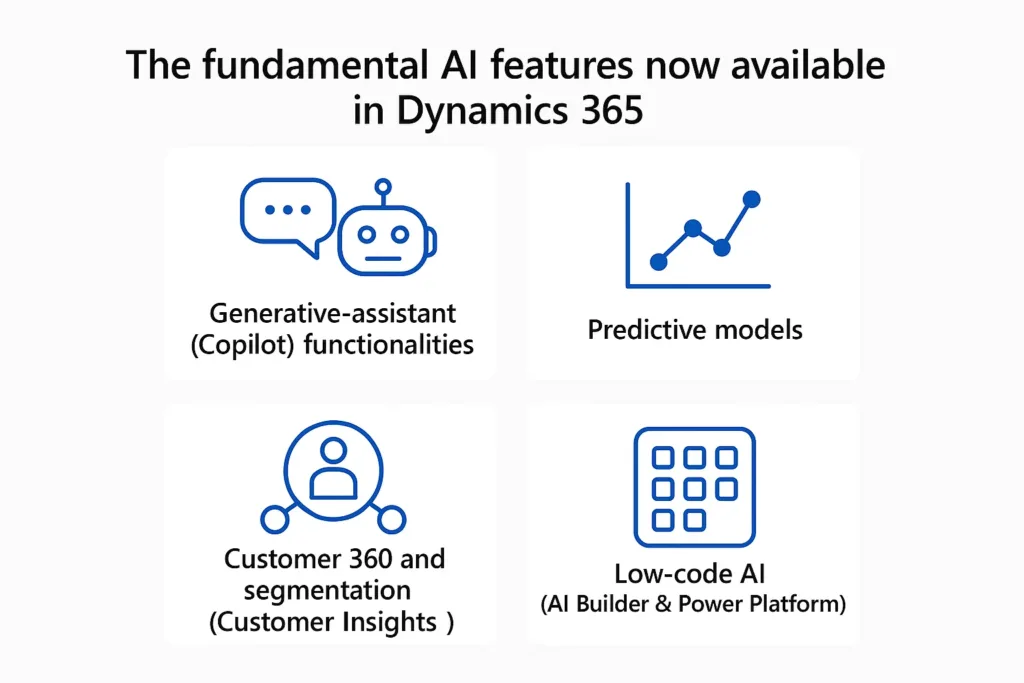
Generative-assistant (Copilot) functionalities — providing conversational assistance within Sales, Customer Service, Field Service, etc., which includes drafting emails, summarizing meetings, suggesting next steps, and creating knowledge articles.
Predictive models — lead scoring, deal propensity, churn risk, revenue forecasting and next-best-action recommendations derived from historical CRM signals.
Customer 360 and segmentation (Customer Insights) — unifies profiles and builds real-time segments for personalized journeys.
Low-code AI (AI Builder & Power Platform) — lets non-data scientists add document processing, classification, object detection and custom prediction models to flows and apps.
Effective and practical methods for transforming CRM workflows
Enhanced seller efficiency: Copilot generates outreach drafts, summarizes opportunities from emails and meetings, and suggests priorities, allowing sellers to focus more on selling rather than administrative tasks.
Intelligent lead assessment: Predictive lead scoring automatically ranks leads based on historical data, enhancing conversion rates and minimizing qualification time.
More tailored customer experiences: Integrated customer insights combined with machine learning enable marketing to initiate personalized, channel-aware journeys (including A/B testing and optimization).
Quicker, higher-quality support: AI tools for agents recommend knowledge articles, automate case classification and routing, and can draft responses, leading to reduced handling time and improved First Contact Resolution.
Where AI provides the most significant improvements in user experience
Contextual support — Agents and sellers receive suggestions seamlessly integrated into their workflow (rather than through a separate tool), creating a user experience that resembles having a smart partner.
Minimized friction — Features like auto-filling fields, summarizing lengthy conversations, and highlighting the next best actions eliminate unnecessary clicks and the need to search for information.
Personalization on a large scale — Dynamic segmentation and journey orchestration enable end customers to receive pertinent offers and messages without the need for manual list creation.
How Microsoft ties the pieces together (technical & product glue)
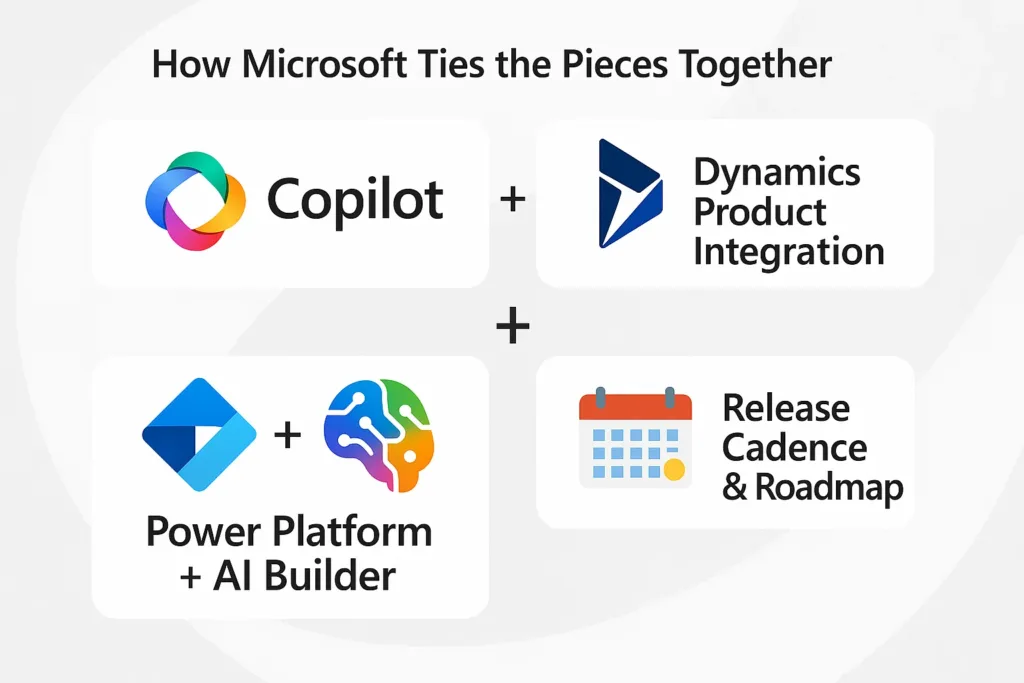
Copilot + Dynamics product integration:
Copilot is embedded into role-based apps (Sales, Customer Service, Field Service), pulling signals from CRM records, Exchange/Teams, and knowledge bases.
Power Platform + AI Builder :
delivers low-code building blocks so teams can inject AI models into Power Automate flows, Power Apps and Dynamics processes without heavy engineering.
Release cadence & roadmap:
Microsoft publishes wave-based release plans adding agentic capabilities and expanded Copilot features—meaning continual improvement, not a one-time launch.
Practical benefits & measurable outcomes organizations see
- Higher seller throughput and time-savings on administrative work.
- Better lead-to-opportunity conversion from predictive scoring.
- Faster case resolution and more consistent customer reply via agent assist.
Risks, limitations, and governance that require your planning
Data quality and bias: The effectiveness of AI is directly linked to the quality of the data — poor input leads to biased or ineffective predictions. Prioritize data cleanliness and ongoing monitoring.
Privacy and compliance: Copilot and generative functionalities expose and modify customer data — establishing governance (who has access to Copilot, data retention policies, EU/region regulations) is crucial. Microsoft offers controls, but it is the responsibility of admins to set them up.
Overreliance and hallucination: It is important to validate generative suggestions (particularly for messages that are regulatory or legally sensitive). Educate users to view AI as a supportive tool rather than an infallible source.
Implementation playbook — how to adopt responsibly
Start small: Pilot predictive lead scoring or Copilot drafting in one team. Measure KPIs (time saved, conversion lift). Microsoft Learn
Clean & instrument data: Ensure CRM data, activity history and knowledge bases are complete and labeled.
Define guardrails: Role-based access, prompt policies, and review workflows for generative outputs. Reuters
Train people: Run sessions so staff know how to validate suggestions and escalate model errors.
Monitor & iterate: measure outcomes, retrain or reconfigure models, expand to other scenarios (service, field, marketing).
Conclusion
AI is no longer an optional add-on for CRM—it’s now the core driver of a smarter, faster, and more predictive Dynamics 365 experience. With tools like Copilot, predictive scoring, Customer Insights, and low-code AI models, businesses can automate routine work, enhance decision-making, and deliver deeply personalized customer journeys at scale.
Organizations that invest early, set proper governance, and embrace continuous improvement will be the ones who truly unlock the full potential of intelligent CRM.
Read more : dynamics 365 health monitoring with power automate
FAQ’s
AI automates repetitive tasks like email drafting, data entry, and case routing, allowing teams to focus on high-value work.
No — many AI capabilities, including Copilot and AI Builder, are designed for low-code or no-code users.
Yes, but administrators must set proper governance, permissions, and data policies to ensure compliance.
Sales, Customer Service, Field Service, and Marketing see the biggest gains through automation, predictive insights, and real-time recommendations.
 is a software solution company that was established in 2016. Our quality services begin with experience and end with dedication. Our directors have more than 15 years of IT experience to handle various projects successfully. Our dedicated teams are available to help our clients streamline their business processes, enhance their customer support, automate their day-to-day tasks, and provide software solutions tailored to their specific needs. We are experts in Dynamics 365 and Power Platform services, whether you need Dynamics 365 implementation, customization, integration, data migration, training, or ongoing support.